Think of your website as a massive city. Internal Links are the roads and pathways that connect all the different neighborhoods, buildings, and landmarks. They are simply hyperlinks that point from one page on the same domain to another page on the same domain. For a page to be discoverable by a user or a search engine crawler, it needs a way to be reached, and that’s precisely the job of an internal link. These links are the fundamental building blocks of your site’s structure, acting as both navigational aids for your visitors and crucial signals for search engines like Google.
The goal of a well-executed Internal Links SEO strategy is twofold: to enhance the user experience by making related content easily accessible, and to distribute authority and relevance across your site. When a user clicks an internal link, they move deeper into your content ecosystem, increasing their time on site and exposure to your brand. From an SEO perspective, every internal link represents a vote of confidence, signaling to Google that the linked page is important and relevant to the topic of the linking page. Mastering Internal Links is an absolutely essential component of effective On-Page SEO.
How Do Internal Links Differ from External Links?
The difference is straightforward but profound in its SEO implications. An internal link connects one page of your site to another page on your site. They are entirely within your domain’s control. An external link, or outbound link, connects your page to a page on a completely different website (a different domain). Both types are vital, but they serve distinct purposes.
External links signal to Google that your content is well-researched and part of a broader online discussion, but they pass authority away from your site. Internal Links, however, are your way of building and controlling the flow of authority within your site. They allow you to define the hierarchy and relationships between your pages, ensuring that your most important content receives the most link equity. This is a critical distinction for anyone focused on optimizing their On-Page SEO.
What Is the Purpose of Internal Links on a Website?
The purpose of Internal Links boils down to structure, navigation, and SEO benefit. Primarily, they are there for the user. They provide a seamless path for users to find more information related to what they are currently reading, turning a single visit into a deep dive. For example, if you write about “keyword research,” you would naturally include an internal links example in SEO that points to your dedicated article on “long-tail keywords.” This improves the user journey and keeps them engaged.
From a search engine perspective, the purpose is to map out the site. Internal links create a web that Googlebot can follow to discover new pages, understand the relationships between different pieces of content, and assign value. They directly influence how well your entire site is crawled and indexed. A site with a strong, logical network of Internal Links is easier for search engines to understand and typically performs better in organic search.
Why Are Internal Links Important for Search Engines?
Search engines rely on Internal Links for three core reasons: discovery, context, and authority distribution. When Google’s algorithms crawl your site, they essentially follow the links they find. If a page has no Internal Links pointing to it, there’s a good chance Google won’t find it, regardless of how great the content is. Furthermore, the text used in the link (the anchor text) helps Google understand what the linked page is about, providing vital context. Finally, and most importantly for On-Page SEO, internal linking is the primary method of circulating “link equity” or PageRank throughout your domain. By linking a high-authority page to a new, important page, you are helping to boost the new page’s potential for ranking.
How Do Crawlers Use Internal Links to Discover Pages?
Google’s crawlers, like Googlebot, don’t navigate your site randomly. They start with a known page (often the homepage) and follow the Internal Links they find. Every internal link is a direct signal, an instruction manual for the crawler, saying, “Hey, there’s more important content over here!” The more links pointing to a page, the faster and more reliably that page will be discovered and re-crawled.
This rapid discovery and consistent re-crawling are crucial for new content and for ensuring that updates to existing content are registered quickly. Without a strong network of Internal Links, your site becomes a maze with dead ends, leaving valuable pages undiscovered, which is a significant waste of your On-Page SEO efforts. The density and quality of your Internal Links directly influence the speed of indexation.
How Does Internal Linking Help Build Context and Hierarchy?
Internal Links are the architects of your site’s narrative and structure. The way you link pages establishes a clear hierarchy—which pages are the main topics (Pillars) and which are supporting details (Clusters). For instance, linking from many specific “types of coffee beans” articles to a single “Ultimate Guide to Coffee” article clearly tells Google the guide is the most comprehensive, high-value resource. This is also where context comes into play. The anchor text used for your Internal Links is vital.
If the link text is “best practices for mobile optimization,” Google understands that the destination page is highly relevant to that specific query. This contextual signal helps Google understand the topical relevance of your pages, which is a powerful advantage in competitive search results, bolstering your overall Internal Links SEO.
What Happens If a Page Has No Internal Links?
A page with no Internal Links pointing to it is what the SEO world calls an “Orphan Page.” The consequence is severe: it often won’t be indexed or ranked. Search engine crawlers can’t find it because there’s no path to follow from the rest of your established content. Even if the page is submitted via an XML sitemap, the lack of linking indicates to Google that the page is not an important part of your site’s structure or user journey.
This makes the page invisible, essentially wasting all the effort put into creating its content and optimizing its On-Page SEO. A page must have Internal Links to receive link equity, establish context, and, most importantly, be found and treated as a valuable piece of your website. Addressing orphan pages is one of the quickest wins in any internal linking audit.
How Do Internal Links Affect On-Page SEO?
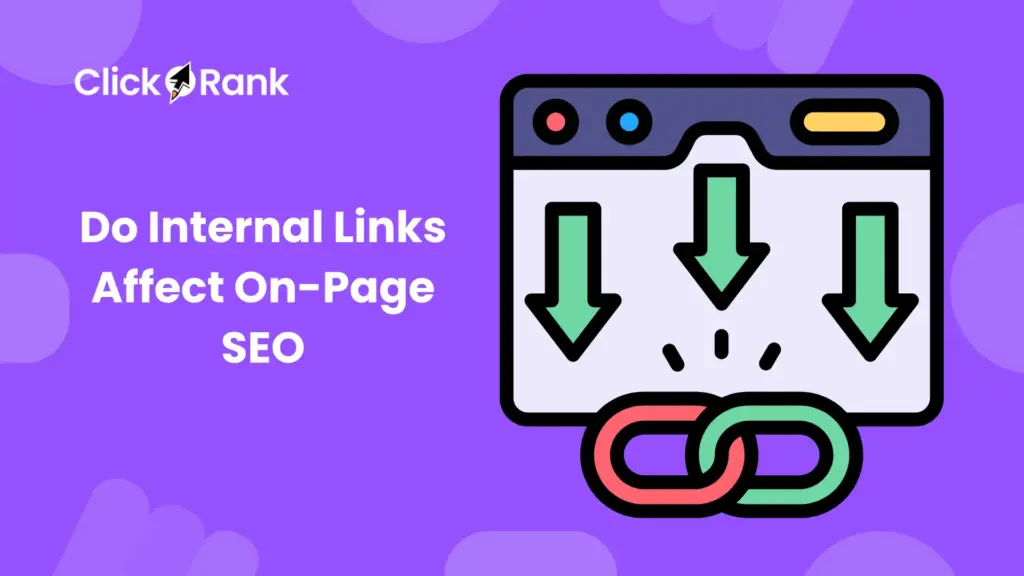
The impact of Internal Links on On-Page SEO is direct and measurable. They are not a minor technical detail; they are a central lever for boosting performance. They directly influence three key areas: the flow of authority (PageRank), the ability for a page to rank for target keywords, and the efficiency of your site’s crawl and indexation. Neglecting your internal linking structure is like only paving half the roads in your city—traffic (and authority) gets stuck. A site with a robust internal linking framework is structurally sound, easier for users to navigate, and much simpler for Google to evaluate and reward.
How Do Internal Links Pass Link Equity (PageRank)?
Link equity, often still referred to as PageRank, is the value or authority passed from one page to another via a hyperlink. When a high-authority page (like your homepage or a popular pillar article) links to a lesser-known page, some of that authority is passed along. This is the superpower of Internal Links. Every page on your site starts with a certain amount of authority, which is then distributed to all the pages it links to.
This is why the strategic placement of Internal Links is so important. By intentionally linking from your strongest pages to your pages that need a boost—especially those targeting high-value keywords—you are manually directing this valuable link equity. This is a critical component of Internal Links SEO, as it allows you to optimize the flow of authority and prioritize which pages Google should view as most important.
Do Internal Links Improve Keyword Rankings?
Yes, Internal Links absolutely improve keyword rankings, but not in isolation. They are a powerful signal when combined with high-quality content and relevant anchor text. When a page has a sufficient number of high-quality Internal Links pointing to it, especially from pages topically relevant to the target keyword, Google’s confidence in that page’s authority and relevance increases.
The anchor text of the internal link provides Google with context about the linked page. For example, if dozens of articles link to your “Ultimate Guide to On-Page SEO” using the anchor text “On-Page SEO strategies,” Google is strongly signaled that the destination page is highly authoritative for that term. This is a classic internal links example in SEO and is often the final push a page needs to break into the top search results. The cumulative effect of a strong internal link profile makes a page a much stronger contender for its target keywords.
How Can Internal Links Improve Crawl Depth and Indexation?
Crawl depth refers to how many clicks away a page is from the homepage. A page that requires four clicks to reach has a crawl depth of four. The deeper a page is, the less often Googlebot typically crawls it and the less link equity it receives. A well-designed internal linking structure, focused on reducing crawl depth, makes it easier for Googlebot to find and crawl your most important pages frequently.
By using strategic Internal Links, especially from your site’s main navigation and high-authority pages, you keep important content close to the surface (low crawl depth). This ensures better indexation—the process by which Google officially adds your page to its search database. Pages that are easily accessible via a short chain of internal links are more reliably and quickly indexed, which is vital for news-related or time-sensitive content. This efficiency is a core benefit of a smart Internal Links SEO plan.
How Does Google Prioritize Linked Pages?
Google uses the volume and quality of Internal Links pointing to a page as a key indicator of its importance. The more link equity a page receives from internal sources, the higher its perceived importance. Google prioritizes pages for crawling and indexing based on this perceived importance. Your homepage, by nature, often has the most internal links and link equity, making it the most prioritized page.
This is why linking from the homepage or other highly-trafficked Pillar Pages to your newest or most critical content is a powerful prioritization tactic. Conversely, pages with few or poor-quality Internal Links are deprioritized and may be crawled infrequently. Essentially, your internal linking structure acts as a heat map for Google, showing where the most important content resides and directing the crawler’s resources accordingly.
What Are “Orphan Pages” and How to Fix Them?
As mentioned, Orphan Pages are pages that have no Internal Links pointing to them from other pages on your website. They are not discoverable through the normal site navigation or content structure.
To fix them, you need a systematic approach:
- Identify Them: Use an auditing tool like Screaming Frog, Ahrefs, or Google Search Console’s “Pages not in sitemap” or “Discovered – currently not indexed” reports to find pages with a low or zero count of Internal Links.
- Determine Value: Evaluate the content. Is it high-quality, relevant, and worth keeping? If not, consider deleting it (and setting a 410 status code) or no-indexing it.
- Build Links: If the page is valuable, find highly relevant, authoritative pages on your site that can naturally link to it. For example, an orphan page about “best camera lenses” should be linked from your main “photography tips” pillar page and related blog posts.
- Contextual Linking is Key: Use highly descriptive anchor text that includes the page’s target keywords. This is the most powerful Internal Links example in SEO for rescuing an orphan page and integrating it into your site’s topical authority. Fixing orphan pages is one of the most critical maintenance tasks in effective On-Page SEO.
How to Build an Effective Internal Linking Structure?
Building an effective internal linking structure is less about linking randomly and more about creating a deliberate, organized site architecture that supports your users and your On-Page SEO goals. It requires a mindset of hierarchy and topical grouping, ensuring that every piece of content is connected to relevant neighbors and, ultimately, to a high-authority core. The goal is to build a structure that’s shallow, broad, and clearly maps the relationships between your content pieces.
What Is the Best Way to Organize Your Site for Internal Linking?
The best way to organize your site is by adopting a Silo Structure or a Pillar and Cluster Model.
- Pillar Pages: These are your broad, comprehensive guides on a major topic (e.g., “The Ultimate Guide to Content Marketing”). They should receive the most Internal Links and have high authority.
- Cluster Pages: These are your more specific, detailed articles that dive into sub-topics of the Pillar (e.g., “How to Conduct a Content Audit,” “The Best Content Promotion Channels”).
The internal linking rule here is simple: Cluster pages must link up to the Pillar page, and the Pillar page must link out to all the Cluster pages. Cluster pages can also link to other highly related Cluster pages within the same silo. This creates a tight, highly relevant topical group, concentrating link equity and signaling extreme authority on the main topic to Google. This methodical approach is the backbone of advanced Internal Links SEO.
How Many Internal Links Should Each Page Have?
There is no magical number, but the common wisdom is to include as many Internal Links as necessary without compromising the user experience. Google has stated that they no longer have a “hard limit” on the number of links on a page, but a practical range often works best.
- For Pillar/High-Authority Pages: These pages should have many Internal Links pointing to them (to boost their authority) and they should link out generously to relevant cluster pages (to distribute that authority). It is not uncommon for a major pillar page to link out 50-100 times, provided the links are highly relevant and contextual.
- For Standard Blog Posts: Aim for a minimum of 3-5 high-quality, contextual Internal Links in the body text. Make sure these links are highly relevant to the context of the sentence they are in. The main focus must be on relevance and value, not simply hitting a count. A page with too many irrelevant links can dilute the value passed and appear spammy.
Should You Link to Old or New Content First?
The smart strategy is to link to both, but with a clear priority:
- Link to New Content: When you publish a new piece of content, the first priority is to immediately build Internal Links to it from your highest-authority, topically relevant pages. This is crucial for rapid discovery, quick indexation, and a much-needed initial boost of link equity. Without this, the new page will languish.
- Link from New Content to Old Content: The new content itself should also look for opportunities to link to older, high-value pages. This refreshes the older content and reminds Google that those established pages are still important and relevant. This reciprocal linking is the foundation of a healthy Internal Links SEO strategy.
How Often Should You Update Internal Links?
Internal Links should not be a “set it and forget it” task. They should be reviewed and updated quarterly or at least twice a year, and immediately following any major content campaign.
- When Publishing New Content: As noted, update older, relevant content to link to the new piece.
- During Audits: Look for links pointing to pages that have been deleted (broken links) or redirected. Fix these immediately.
- To Consolidate: When you combine two similar articles (a content consolidation effort), update all Internal Links that pointed to the older, now-deleted article to point to the new, authoritative combined page. This constant maintenance ensures the authority flow remains optimized and that you don’t have broken links damaging user experience and wasting link equity.
How Can Breadcrumbs Support Internal Linking?
Breadcrumbs are a secondary, but incredibly valuable, form of Internal Links. They are the navigational trail, typically found at the top of a page, that shows the user’s current location within the site hierarchy (e.g., Home > Category > Subcategory > Current Page).
- Hierarchy: Breadcrumbs instantly reinforce your site’s structure to both users and search engines, clearly establishing the parent-child relationship between pages.
- Crawlability: Every part of the breadcrumb trail is a clickable internal link, providing a consistent and structured path for crawlers.
- User Experience: They allow users to easily move up a level in the site, reducing frustration and bounce rate.
Using the correct structured data markup (Schema.org) for breadcrumbs is essential, as this helps Google display them in the search results, further enhancing their value as an Internal Links example in SEO.
How to Use XML Sitemaps and Internal Links Together?
An XML Sitemap is a list of URLs you want search engines to crawl, essentially a suggestion list. Internal Links are the actual pathways and flow of authority. They work best in tandem.
- Sitemap for Discovery: The sitemap helps Google discover pages, especially those that are new or that have a deep crawl depth.
- Internal Links for Prioritization and Authority: The internal links are what tell Google which pages are the most important and how the authority should be distributed.
Crucially, a page should be discoverable by both methods. If a page is in your sitemap but has no internal links, Google may crawl it but may not assign it significant ranking value. If a page has strong internal links but is missing from your sitemap, Google will likely still find it but may not crawl it as quickly or consistently. Using both together is a non-negotiable best practice for comprehensive On-Page SEO.
What Types of Internal Links Exist?
Understanding the different Internal Links types is key to a sophisticated internal linking strategy. Not all links are created equal, and their placement and purpose determine the value they provide for both the user and the search engine. While all internal links connect pages on the same domain, they are typically categorized based on their location and function.
What Are Navigational Internal Links?
Navigational Internal Links are the links that form the core structure and user-interface of your website. They are typically found in the main header, the primary navigation bar, and sometimes in the sidebar.
- Purpose: Their primary role is to help users quickly and efficiently move between the most important, high-level sections of your site (e.g., Home, About Us, Services, Blog, Contact).
- SEO Value: They pass a significant amount of link equity because they are present on nearly every page of the site, constantly reinforcing the authority of the pages they link to. However, because they are site-wide and generic, they provide less topical context than contextual links. They are foundational for good Internal Links SEO.
What Are Contextual Internal Links?
Contextual Internal Links are arguably the most powerful type of Internal Links for On-Page SEO. These are the links placed within the main body text of an article.
- Purpose: To provide a highly relevant, natural, and logical next step for the reader based on the sentence they are reading. They genuinely enhance the user experience by offering deeper dives into a specific sub-topic.
- SEO Value: They are invaluable because they:
- Use highly relevant anchor text (e.g., “how to conduct an SEO audit”).
- The linking page is topically related to the destination page.
- This combination provides Google with the strongest possible signal about the destination page’s relevance and topic.
This is the primary method for executing the Pillar and Cluster model and is the focus of most advanced Internal Links SEO strategies. A good Internal Links example in SEO of this is linking the phrase “optimize meta descriptions” within an article on keyword research to a dedicated guide on meta description optimization.
What Are Footer and Sidebar Links?
These are links that appear outside the main body content, often in the website’s universal footer area or a sidebar.
- Footer Links: Typically contain utility links like “Privacy Policy,” “Terms of Service,” “Careers,” and links to core categories or service pages.
- Sidebar Links: Can include “Popular Posts,” “Related Articles,” or a second set of navigational links.
Their SEO value has historically been debated. While they are a form of Internal Links, because they are often site-wide and less contextual than in-body links, Google tends to assign them less weight. However, they are still important for ensuring utility pages are easily discoverable and crawled. The sheer volume of links pointing from the sidebar and footer to a page does provide a base level of link equity.
Do Footer Links Pass SEO Value?
Yes, Footer Links do pass SEO value, but generally significantly less than contextual or even primary navigational links. Google is sophisticated enough to understand that a link in the footer, such as “Contact Us,” is a structural link and not an editorial recommendation.
The value they pass is mostly related to crawlability and ensuring pages that are not part of the main navigation (like legal pages) are still well-connected. They should be used strategically for utility and crawl efficiency, but you should not rely on them to boost the rankings of your core money pages. Use a separate strategy focused on contextual links for your main On-Page SEO efforts.
Should Sidebar Links Be Indexed by Search Engines?
Yes, Sidebar Links are indexed by search engines because they are regular hyperlinks that crawlers can follow. Whether they should be indexed depends on their purpose.
- For “Related Posts” or “Popular Content”: They should be indexed, as they are a valuable source of link equity and help promote other important content.
- For Internal Utility/Login Links: They should also be indexed, but their value is lower.
The main concern with sidebar links is keyword stuffing in a widget that appears on every page. If you stuff a sidebar widget with keyword-rich links to all your main categories, Google may devalue those links due to over-optimization. As with all Internal Links types, focus on user value first; a small, relevant “Related Articles” section is better than a massive, confusing list.
How to Choose Anchor Text for Internal Links?
Choosing the right anchor text is one of the most powerful and often-overlooked parts of an Internal Links SEO strategy. The anchor text is the visible, clickable text of a hyperlink. It’s not just a piece of text; it’s a direct signal to Google about the topic of the linked page.
What Is Anchor Text and Why Does It Matter?
Anchor text is the descriptive, highlighted text that users click to navigate from one page to another. It matters immensely because search engines use the anchor text as a primary source of information to understand:
- The Topic of the Destination Page: If you link to a page with the anchor text “latest techniques for link building,” Google understands the destination is highly relevant for the query “link building techniques.”
- Context and Relevance: The text surrounding the anchor text further solidifies the link’s relevance.
- Keyword Ranking Potential: Strategic use of anchor text can significantly contribute to a page’s ability to rank for its target keyword. This is a foundational Internal Links example in SEO principle.
Should You Use Exact Match Anchor Text?
You should use exact match anchor text sparingly and cautiously for internal links.
- Definition: Exact match means the anchor text is the precise keyword the destination page is trying to rank for (e.g., linking with the text “best email marketing software” to a page titled “Best Email Marketing Software”).
- The Risk: While highly effective, excessive use of exact match anchor text is a classic sign of over-optimization or keyword stuffing, which can trigger a Google penalty or simply dilute the power of the links. Google expects to see a natural variety of anchors.
- Best Practice: Aim for a mix. A few (maybe 5-10%) exact match anchors, a good portion of partial match (e.g., “our recommended email software”), and a majority of semantic or branded anchors (e.g., “read this guide,” “check out our full review”). A natural-sounding profile is critical for sustainable Internal Links SEO.
How Can You Make Anchor Text Natural and User-Friendly?
To make anchor text natural and user-friendly, your primary focus should be on editorial flow and contextual relevance.
- Integrate into the Sentence: The anchor text should be an organic part of the sentence, not awkwardly shoehorned in. Instead of: “Click internal links to learn more about this topic,” try: “The strategic placement of internal links is what powers a successful Pillar and Cluster model.”
- Make it Descriptive: The anchor text should clearly tell the user what they will find on the other side. “Click here” is a poor choice; “our full report on SERP features” is a great one.
- Use Semantic Variations: Instead of always using the target keyword, use synonyms and long-tail variations. This is known as using semantic anchors and is a sign of a high-quality, natural linking profile. This improves the overall topical relevance and is key for avoiding over-optimization in your On-Page SEO.
How to Avoid Keyword Stuffing in Internal Anchors?
The key to avoiding keyword stuffing is to embrace variety and relevance.
- Limit Exact Match: As noted, keep exact match anchors to a small percentage of your total internal link profile.
- Focus on the Surrounding Text: Google reads the entire sentence (the context) around the link. If the anchor text is “internal link optimization” but the sentence is about a completely different topic, the link will look spammy. Ensure the sentence naturally flows and is topically relevant.
- Use Branded and Generic Anchors: Mix in your brand name, page titles, or generic anchors like “this guide” or “read more here.” These dilute the concentration of exact-match keywords, making the overall profile appear much more natural and user-focused. Remember, a natural flow of Internal Links is the best defense against any perceived over-optimization.
What Are the Best Practices for Semantic Anchors?
Semantic anchors (also called partial match or LSI anchors) are keywords or phrases that are conceptually related to your target keyword but are not the exact match. They are the gold standard for modern Internal Links SEO.
- Example: If your target keyword is “best coffee maker,” semantic anchors would include: “coffee brewer recommendations,” “espresso machine comparisons,” “choosing the right appliance,” or “our comprehensive review.”
- Benefit: They help Google fully understand the breadth of topics covered by the linked page, which is crucial for topical authority. They make the link profile look natural and diverse.
- Actionable Tip: When writing, ask yourself: What is the most natural way to introduce this related topic to the reader? The answer will almost always lead to a perfect semantic anchor, which is a powerful Internal Links example in SEO.
How to Audit and Optimize Internal Links for SEO?
An Internal Links audit is a deep dive into the connectivity of your website, akin to checking every road and highway for defects. It is a critical, recurring task in On-Page SEO because link decay (broken links, redirected links, or orphaned content) happens constantly. Optimization is about fixing the defects and strategically reinforcing the most important pathways.
What Tools Can You Use to Audit Internal Links?
Several powerful tools can simplify the complex task of auditing your Internal Links:
- Screaming Frog SEO Spider: The industry standard. It crawls your site, generating comprehensive reports on every link, including anchor text, link path, destination status (200, 404, 301), and the number of links in and links out for every page. It is indispensable for finding broken links and orphan pages.
- Ahrefs & Semrush: These tools, especially in their Site Audit features, provide excellent graphical representations of your internal linking structure, top pages by internal link count, and identify broken or redirected links. They are particularly useful for comparative analysis against your competitors’ Internal Links SEO profiles.
- Google Search Console (GSC): GSC’s “Links” report shows which pages have the most Internal Links pointing to them, helping you confirm which pages Google views as most important. Its “Pages” section also helps uncover indexation problems often caused by a lack of internal links (orphan pages).
How Do You Identify Broken or Redirected Internal Links?
Broken Internal Links (404 Not Found errors) and Redirected Internal Links (301 or 302 status codes) are detrimental to On-Page SEO.
- Broken Links (404s): These are link equity black holes. A link to a 404 page wastes the link equity that would have flowed to the intended page and creates a poor user experience.
- Identification: Use the Screaming Frog SEO Spider (look for the “Response Code” column for 404s) or the “Not Found” report in Google Search Console.
- Fix: Either update the link to point to the correct, existing page, or remove the link entirely.
- Redirected Links (301s/302s): While redirects pass most of the link equity, linking directly to the final destination URL is a best practice. A chain of redirects (e.g., Page A links to B, B redirects to C, C redirects to D) slows down crawlers and can cause a minor loss of link equity.
- Identification: Screaming Frog’s “Response Code” column will show 301/302 codes.
- Fix: Update the source page to link directly to the final, live URL (a status code 200). Cleaning up these links helps to streamline crawl paths and ensure maximum link equity is passed. This optimization is a key part of maintaining robust Internal Links SEO.
How to Prioritize Pages for Internal Linking Updates?
You can’t fix every link at once. Prioritize your Internal Links updates based on the potential impact on your On-Page SEO:
- Fix Broken Links: This is the highest priority, as it stops the immediate waste of link equity and improves UX.
- Boost Low-Ranking/High-Potential Pages: Identify pages that are on page 2 or 3 of Google’s results for a high-value keyword. An infusion of a few strong, relevant Internal Links can often be the catalyst they need to break into page 1.
- Reinforce Pillars: Ensure your Pillar pages or core money pages have the maximum number of quality, contextual links pointing to them to reinforce their authority.
- Rescue Orphan Pages: Locate pages with zero or only one internal link and integrate them into the site structure. This is a classic Internal Links example in SEO of low-effort, high-reward optimization.
How to Find Pages with Too Few Internal Links?
These are your potential orphan pages or pages that are otherwise undervalued.
- Use Auditing Tools: In Screaming Frog, look at the “Inlinks” column. Sort this column from lowest to highest. Any page with an “Inlinks” count of 0 or 1 is a red flag and needs immediate attention.
- Google Search Console: Check the “Links” report and also the “Pages” report for URLs marked as “Discovered – currently not indexed” or “Crawled – currently not indexed.” The lack of strong internal links is often the primary reason.
- Strategy: Once identified, find the most topically relevant, high-authority pages on your site and add a contextual Internal Links pointing to the under-linked page, using a relevant anchor text.
How to Identify Overlinked Pages?
An overlinked page is one that links out excessively, potentially diluting the authority it passes to each destination page, or one that has too many incoming links that are irrelevant or use the same anchor text.
- Outgoing Overlinking: Use Screaming Frog’s “Outlinks” column. If a page has hundreds of links, check the source page to ensure the links are all necessary and add user value. If the page is just a link farm, you have a problem.
- Incoming Overlinking (Anchor Text): Use Ahrefs or Semrush to review the anchor text profile of your most authoritative pages. If 90% of the incoming Internal Links use the exact same anchor, you may be over-optimized. The fix is to edit the anchor text on some of the linking pages to use more semantic and partial-match variations to diversify the profile.
What Metrics Show Internal Link Value?
To measure the success of your Internal Links SEO efforts, track these key metrics:
- Internal Link Count (Inlinks): Track how many internal links point to a specific page. A rising count on key pages is a sign of success.
- Crawl Depth: Monitor the average crawl depth of your high-value content. You want this number to be low (2-3 clicks from the homepage).
- Indexation Rate: For new content, track how quickly it moves from “Discovered” to “Indexed” in GSC. A faster indexation time suggests an effective internal link strategy.
- Keyword Rankings: The ultimate metric. Pages that receive new, high-quality Internal Links should see a positive movement in their rankings for target keywords.
- Page Authority/URL Rating: Track the increase in authority metrics (like URL Rating in Ahrefs or Page Authority in Moz) for the pages that have received new Internal Links.
How to Use Internal Links for Content Clusters and Topic Authority?
The most advanced and potent application of Internal Links is in creating a Content Cluster structure, which is the cornerstone of modern topic authority models. This is where your On-Page SEO efforts transition from simple page-level optimization to site-wide topical dominance.
What Is the Relationship Between Pillar and Cluster Pages?
The relationship between Pillar and Cluster pages is one of parent and child, general and specific, and commander and troops.
- Pillar Page: The authority hub. It is a broad, comprehensive, high-level guide covering a major topic (e.g., “Complete Guide to Digital Marketing”). It is designed to rank for broad, high-volume keywords and receives the majority of incoming Internal Links.
- Cluster Page: The topical details. These are deeper, more focused articles covering specific sub-topics within the Pillar’s sphere (e.g., “Email List Segmentation Tactics,” “Latest TikTok Ad Strategies”).
The key relationship is in the linking: The Pillar links out to all the Clusters, and every Cluster links back to the Pillar. This dense, reciprocal network creates an undeniable signal of topical relevance for the main Pillar topic, which is a powerful Internal Links example in SEO of building authority.
How Should Cluster Pages Link Back to the Pillar Page?
Cluster pages should link back to the Pillar page using the Pillar page’s main target keyword as the anchor text or a close semantic variation. This is a strategic exception to the rule of avoiding excessive exact-match anchors.
- Contextual Placement: The link should be placed naturally early in the Cluster article (e.g., within the first two or three paragraphs) or wherever the Cluster topic is first introduced, as this is the most critical point for establishing context.
- The Power of Repetition: Because all Cluster pages link up to the Pillar, this creates a concentrated, highly focused link equity flow, all with relevant anchor text. This is what helps the Pillar page gain significant ranking power for its broad, high-value keyword, making it a crucial tactic in Internal Links SEO.
How to Build a Silo Structure with Internal Links?
A Silo Structure is a methodical way of organizing your website content by topic, separating the content of one topic area from another using the internal linking structure.
- Physical Silo (Folder Structure): Group related content into distinct folders (e.g., yoursite.com/seo/ or yoursite.com/content-marketing/).
- Internal Link Silo: This is the most important part. You build links horizontally between Cluster pages within the same silo (e.g., a link building Cluster links to a keyword research Cluster, as both are under the SEO Pillar). Crucially, you avoid linking to content outside that silo, which helps concentrate the link equity and topical authority within that topic group. This clear separation tells Google exactly what content belongs to which topic, boosting your On-Page SEO efforts for highly competitive, broad keywords.
How Does Internal Linking Boost Topical Relevance?
Topical relevance is Google’s understanding of how thoroughly and authoritatively your site covers a specific subject. Internal Links are the primary tool for demonstrating this.
- Density of Links: The sheer number of links between the Pillar and Cluster pages shows Google the depth and breadth of your coverage.
- Anchor Text: The consistent, relevant anchor text across all the Internal Links within the cluster tells Google exactly what topic the pages are relevant for.
- Absence of Irrelevant Links: The Silo structure, by preventing links to unrelated topics, reinforces the topical purity of the cluster.
This combined effort creates an undeniable, localized topical authority that helps all pages within the cluster rank better, not just the Pillar page. This is a core concept in advanced Internal Links SEO.
What Are Common Mistakes in Cluster Linking?
Even experienced content writers and SEO experts make mistakes when implementing content clusters:
- Linking Out of the Silo: The biggest mistake is linking a Cluster page to an entirely irrelevant Pillar or Cluster in another topic area (e.g., a “link building” Cluster linking to a “Facebook Ads” Cluster). This dilutes topical authority.
- Not Linking Back to the Pillar: Forgetting the crucial “link up” from the Cluster page to the Pillar page. This breaks the link equity flow and prevents the Pillar from gaining maximum authority.
- Overuse of Exact Match Anchors: Using the exact same phrase as the anchor text for all 20 Clusters linking to the Pillar. You need variation (semantic and partial match) to avoid the appearance of over-optimization.
- Orphan Clusters: Creating a new Cluster page but failing to link it from the Pillar page, essentially making it an “orphan” within the cluster structure. Always add a link on the Pillar page for every new Cluster.
How to Balance User Experience and SEO in Internal Linking?
The most successful Internal Links SEO strategy is the one that prioritizes the user. Google’s algorithms are now sophisticated enough to reward sites that genuinely serve their users. The best links are the ones that a reader wants to click because they are highly relevant and placed naturally.
How Many Links Are Too Many on a Page?
While Google has abandoned the old “100 links per page” rule, a page has too many internal links when:
- The User Experience Suffers: The page looks visually overwhelming, with dense blocks of highlighted text that distract from the main content. Too many links can make a page feel less like an article and more like a navigation page.
- Link Equity is Too Diluted: The page is linking out to so many pages that the amount of authority passed to each is negligible. It’s better to link strongly to 5-10 highly relevant pages than weakly to 50 vaguely relevant pages.
- The Links are Irrelevant: Any link that doesn’t genuinely move the user to a more relevant, deeper piece of content is one too many.
Aim for a balance: enough Internal Links to satisfy the reader’s curiosity and distribute authority, but not so many that the page becomes a confusing mess. Focus on the quality of the link, not the quantity.
Should All Links Be Follow or Some NoFollow?
For Internal Links, the overwhelming best practice is to have all of them be “Follow” links.
- The Rationale: You want Google to follow and pass link equity through every single internal path on your site. You are in control of your own site, so there’s no reason to tell Google not to trust or follow a link to your own content.
- Exceptions (Use NoFollow): The only time you might use a nofollow or a newer, more specific tag like ugc (user-generated content) or sponsored on an internal link is for links to utility pages that you don’t want to waste link equity on, such as:
- Login/Logout pages
- Shopping cart/Checkout pages
- Specific filter pages you don’t want indexed (though proper use of the noindex tag is usually better here).
You should absolutely use “Follow” for all your main navigation, contextual, and pillar/cluster Internal Links to ensure maximum flow of PageRank.
How to Make Internal Links Accessible and Mobile-Friendly?
Accessibility and mobile-friendliness are crucial for both user experience and Google’s evaluation of your On-Page SEO.
- Clear Visual Contrast: Ensure the link color is distinct from the surrounding body text and the background color. Users must be able to instantly identify the Internal Links.
- Sufficient Spacing: On mobile devices, links placed too closely together can lead to “fat-finger” errors. Ensure there is enough padding around links and buttons to make them easily clickable.
- Descriptive Anchor Text: Screen readers used by visually impaired users rely on the anchor text to understand the link’s destination. Vague text like “click here” is poor accessibility; a descriptive phrase like “our guide to responsive design” is excellent. The same best practices for SEO also serve accessibility.
How Do Internal Links Impact Bounce Rate and Dwell Time?
Bounce Rate (the percentage of visitors who leave after viewing only one page) and Dwell Time (the time a user spends on your site) are heavily influenced by the quality of your Internal Links.
- Bounce Rate Reduction: If a page offers a compelling, relevant Internal Links example in SEO within the first few paragraphs, a user is likely to click it to dive deeper, which instantly registers a second pageview, preventing a bounce.
- Dwell Time Increase: Each time a user clicks a relevant internal link, they are exploring your content ecosystem, which naturally extends their session duration, increasing dwell time.
Both a low bounce rate and a high dwell time are strong user satisfaction signals, which Google rewards with better rankings. Therefore, a strategic use of Internal Links is an indirect but powerful ranking factor in your On-Page SEO.
How to Track User Behavior on Internal Links?
Tracking how users interact with your Internal Links helps you refine your strategy. You need to know which links are getting clicks and which are being ignored.
- Google Analytics (GA4): You can set up event tracking or enhanced measurement to specifically track link clicks. This allows you to see the click-through rate (CTR) of your internal links and identify which anchor texts or link placements are most effective.
- Heatmap Tools (e.g., Hotjar, Crazy Egg): These tools visually show you where users are clicking (or attempting to click) on a page. This is invaluable for identifying “ghost links” (text that users are trying to click but isn’t a link) or confirming that your actual Internal Links are placed in prime locations.
- A/B Testing: Test different anchor texts and different placements (e.g., top of the article vs. bottom) to see which drives the highest CTR to your most important pages.
How Does Google Handle Internal Links?
Understanding Google’s perspective on Internal Links is crucial, as it dictates the rules of engagement for your On-Page SEO. Google views internal links as a primary signal of site structure, content hierarchy, and value distribution.
Does Google Treat All Internal Links Equally?
No, Google does not treat all Internal Links equally. Google’s algorithms are highly sophisticated and assign different weights and values based on several factors:
- Location: Contextual links (in the main body of the article) are typically weighted more heavily than navigational, sidebar, or footer links because they are seen as editorial endorsements.
- Anchor Text: Links with relevant, descriptive anchor text provide more contextual value than generic links like “read more.”
- Source Page Authority: A link from a high-authority Pillar page will pass significantly more link equity than a link from a low-traffic, low-authority page.
- Number of Links: A link is more valuable if it is one of five links on a page than if it is one of fifty, due to the dilution of PageRank.
This nuanced treatment is why the quality and placement of your Internal Links matter far more than the sheer quantity. This sophisticated understanding is at the heart of effective Internal Links SEO.
How Does PageRank Flow Through Internal Links Today?
PageRank still flows through Internal Links, but the original, simple mathematical model is no longer applicable. Today, the flow is seen as more complex:
- Link Equity Distribution: Every page on your site starts with a certain amount of authority. When that page links out, it distributes that authority among the links it contains. The more links a page has, the less equity each link passes.
- Contextual Weighting: Links from highly relevant, topically related pages pass more specific, targeted authority. Linking a page on “SEO audits” to a page on “technical SEO” passes high-quality, contextual equity.
- The “Surprise Factor”: Google expects certain links (like the main navigation). Contextual links, especially those using strong semantic anchor text, are a higher-value “surprise,” passing more meaningful, topical authority.
The core principle remains: Use Internal Links to funnel the authority from your strongest pages to your most valuable, target pages.
Has Google’s View on Internal Linking Changed Over Time?
Google’s fundamental view has remained the same (links = discovery and value distribution), but their ability to analyze them has evolved significantly.
- Past: There was a heavy focus on the number of links and the exact match anchor text. People often abused this by link stuffing.
- Present: The focus has shifted entirely to relevance, context, and user experience. Google is now much better at distinguishing a valuable, context-rich link from an over-optimized, spammy one. The rise of topical authority has reinforced the importance of using Internal Links to establish clear, logical relationships between content clusters. Modern Internal Links SEO must be strategic and user-centric, or it risks being ignored or penalized.
How Do Algorithms Like Hummingbird and RankBrain Affect It?
The shift to more sophisticated algorithms like Hummingbird and RankBrain has amplified the importance of contextual and semantic linking.
- Hummingbird (2013): This update improved Google’s understanding of entire queries and the context of content, not just isolated keywords. This made semantic anchors and links between topically related content much more valuable. A link with a general anchor text like “click here” is much less useful than one that uses a full, contextual phrase.
- RankBrain (2015): An AI component that helps Google better interpret vague or never-before-seen search queries. This further increased the importance of topical authority and the contextual signals passed via Internal Links. If your cluster of pages consistently links together with high-quality, semantic anchors, RankBrain is better equipped to recognize your authority on that entire subject.
What Did John Mueller Say About Internal Linking Best Practices?
Google’s John Mueller, a Senior Webmaster Trends Analyst, has repeatedly emphasized a few key Internal Links SEO best practices:
- Importance of Link Flow: He stressed that Internal Links are critical for showing Google which pages are important and where authority should flow. He has said that the best way to improve a page’s ranking is to get more authoritative pages to link to it.
- Focus on Users: He advises that you should only add Internal Links where they make sense for the user, and to avoid creating huge, non-contextual lists of links just for SEO.
- Anchor Text: He has confirmed that anchor text is important for context but has warned against over-optimization by using the same exact-match anchor text everywhere. Diversity is key.
- Crawl Depth: He has recommended keeping your most important pages close to the homepage (low crawl depth) to ensure they are crawled frequently. This reinforces the need for a shallow site structure supported by strong Internal Links.
What Are Common Internal Linking Mistakes and How to Avoid Them?
Even with the best intentions, it’s easy to fall into common pitfalls that undermine your Internal Links SEO efforts. Avoiding these mistakes is just as important as implementing the best practices.
Why Is Over-Optimization Dangerous?
Over-optimization in internal linking occurs when you use the exact same, keyword-rich anchor text for too many incoming links to a single page.
- The Danger: Google’s algorithms are designed to detect unnatural patterns. A profile where 80% of the Internal Links pointing to a key page use the exact same, commercially valuable keyword as the anchor text can signal an attempt to manipulate rankings. This can result in Google devaluing the links or, in extreme cases, penalizing the page.
- Avoidance: Embrace a natural, diversified anchor text profile, making sure the majority of your links are semantic or partial-match, using branded or generic terms where appropriate. Focus on what is natural and helpful to the reader, not what is formulaic for the search engine. This is a critical Internal Links example in SEO best practice.
What Happens If You Link Irrelevant Pages Together?
Linking irrelevant pages together is like sending the user (and Google) down a rabbit hole to a dead end.
- Link Equity Confusion: If your authority Pillar page on “SEO Strategy” links to a Cluster page on “Best Recipes for Tiramisu,” the authority is passed, but the contextual signal is completely scrambled. Google won’t be able to effectively categorize your content, undermining your silo and topical authority.
- Poor User Experience: Users who click a link expecting to learn more about SEO and are taken to a recipe page will immediately bounce, negatively impacting your dwell time and bounce rate.
The Fix: Always apply the rule of topical relevance. Only link to content that genuinely adds value or context to the page the user is currently reading. This is the simplest and most effective rule for high-quality Internal Links SEO.
Should You Avoid Linking to Low-Value Pages?
Generally, yes, you should be extremely selective about linking to low-value pages.
- Low-Value Pages: These are pages that offer little original or in-depth content (often referred to as “thin content”), or pages that you’ve deliberately chosen to noindex.
- The Problem: Passing link equity from your high-authority pages to low-value pages is a waste. You are diluting your PageRank and sending it to a page that won’t rank anyway. You should be funnelling your link equity only to your high-quality, high-potential pages.
- The Fix: Use a site audit to identify low-value pages. Either update them to be high-quality, or delete/consolidate them. If they must remain for legal or structural reasons (like a login page), consider using a nofollow tag on the internal link to them, thereby conserving your valuable link equity for your main ranking pages.
How Can Thin Content Damage Internal Linking Structure?
Thin content (pages with minimal value, often auto-generated, or with low word counts and little substance) acts as a weakness in your internal linking chain.
- Authority Drain: If your strong pages link to thin content, that authority is wasted, and Google may devalue the authority of the linking page itself for linking to poor-quality resources.
- Crawl Waste: Googlebot spends its time and resources crawling and indexing a page that will never rank, delaying the crawl of your important, high-value pages.
- Site-Wide Perception: A large number of thin content pages, even if linked correctly, can lower Google’s overall perception of your site’s quality, which is the ultimate disaster for your On-Page SEO.
The solution is content governance: regularly audit your site, upgrade or remove thin content, and ensure every page you link to is one you are proud to endorse.
How to Handle Internal Links in Paginated Content?
Paginated content (e.g., /blog/page/1, /blog/page/2, etc.) can be tricky for Internal Links. You need to ensure the pages are all discoverable, but you don’t want to confuse Google about which is the main, authoritative page.
- Use Standardized Linking: Ensure you use standard navigation links (Previous/Next) on the paginated pages.
- Use Canonical Tags: The modern best practice is to use self-referencing canonical tags on each paginated page. For example, /blog/page/2 should be canonicalized to /blog/page/2. The old rel=”prev/next” tags are now deprecated, and Google can handle pagination best when they can crawl through the pages and you use a consistent, clear structure.
- Avoid Silo Linking: Do not use the paginated pages (the archive pages) as a source for key contextual Internal Links in your Pillar/Cluster model. Focus your linking energy on the original, full article pages.
What Are the Best Tools for Internal Linking Optimization?
Effective Internal Links SEO requires data and efficiency. Manually tracking every link on a large site is impossible, which is why a suite of specialized tools is necessary for a professional content writer and SEO expert.
How Can Screaming Frog Help You Audit Links?
Screaming Frog SEO Spider is an essential desktop application for link auditing. It acts as a simulated crawler, giving you a comprehensive, technical view of your site’s connectivity.
- Identify Orphans: By comparing the crawl list with your sitemap, it quickly shows pages with zero or one incoming link.
- Check Status Codes: It instantly flags all 404 (broken) and 301/302 (redirected) Internal Links, allowing you to export the list and fix them immediately.
- Analyze Anchor Text: You can export all the anchor text used for a specific URL, which is vital for checking for over-optimization and ensuring your anchor profile is natural and diverse.
- Review Link Count: The “Inlinks” and “Outlinks” columns give you the raw data needed to assess which pages are receiving and distributing the most Internal Links.
What Are the Benefits of Ahrefs and Semrush for Internal Links?
Ahrefs and Semrush provide a high-level, comparative view of your Internal Links and are excellent for ongoing monitoring.
- Internal Backlink Data: They show a “Best Pages by Internal Links” report, which is a quick way to confirm that your most important Pillar pages are receiving the most authority.
- Site Audit Integration: Both tools offer a site audit feature that flags issues like broken internal links, pages with low link count, and pages that are unnecessarily deep in the crawl structure.
- Competitive Analysis: A unique benefit is the ability to analyze your competitors’ internal link structure, giving you ideas for Internal Links example in SEO that you may have missed on your own site.
Can You Automate Internal Linking with SEO Plugins?
Yes, you can and often should automate parts of your Internal Links strategy, especially on large websites, but this must be done with caution.
- The Benefit: Automation saves time by suggesting or creating links between topically related content that you might otherwise miss. This is an efficient way to ensure your newest content quickly receives its initial Internal Links.
- The Risk: Unintelligent automation can lead to keyword stuffing, irrelevant linking, and a robotic, unnatural anchor text profile. For example, if a tool automatically links the term “SEO” every single time it appears, your page will be over-optimized.
The Best Approach: Use automation tools for suggestions and discovery (to find relevant linking opportunities), but use manual, editorial oversight for the final implementation of the link and its anchor text to ensure quality and context.
What Are the Best WordPress Plugins for Internal Linking?
If you use WordPress, several plugins can help with your Internal Links SEO:
- Link Whisper: One of the most popular, it analyzes your content as you write and suggests relevant, contextual internal link opportunities, often saving significant time on manual linking.
- Yoast SEO/Rank Math: While primarily used for on-page optimization, these tools often include internal linking analysis features that highlight orphan pages or pages with a low link count.
- Internal Link Juicer: A good option for automation, as it allows you to set keywords and link destinations, but again, use its features with a mindful eye toward over-optimization and context.
How Do AI Tools Help Build Smart Internal Link Maps?
AI is poised to revolutionize Internal Links optimization.
- Topical Gap Analysis: AI can quickly read your entire site’s content, identify topic gaps, and suggest Internal Links that perfectly align with your Pillar and Cluster model, something that is extremely time-consuming for humans.
- Contextual Suggestions: AI can analyze the semantics of your content and provide highly specific, contextual anchor text suggestions, reducing the risk of over-optimization.
- Dynamic Linking: Future AI tools will likely be able to dynamically adjust Internal Links based on real-time ranking or authority signals, funnelling link equity to pages that need it most, thereby creating a truly adaptive and smart Internal Links SEO map.
How to Monitor and Track Internal Linking Performance?
The work isn’t done after the audit and optimization. You must continuously monitor and track the performance of your Internal Links to ensure your strategy is working and delivering the desired On-Page SEO results.
How to Measure Internal Link Click-Through Rates?
Measuring the Click-Through Rate (CTR) of your Internal Links is the best way to determine if your links are relevant and enticing to your users.
- Event Tracking (GA4): Set up specific event tracking in Google Analytics for internal link clicks. This allows you to filter the data and see the CTR for specific pages or types of links.
- Heatmap Tools (e.g., Hotjar, Crazy Egg): These tools visually show you where users are clicking (or attempting to click) on a page. This is invaluable for identifying “ghost links” (text that users are trying to click but isn’t a link) or confirming that your actual Internal Links are placed in prime locations.
- A/B Testing: Test different anchor texts and different placements (e.g., top of the article vs. bottom) to see which drives the highest CTR to your most important pages.
What KPIs Should You Track for Internal Links?
To gauge the success of your Internal Links SEO strategy, focus on these Key Performance Indicators (KPIs):
- Orphan Page Count: This should be maintained at or near zero. A rising count means you are failing to connect new content.
- Link Equity Flow: Track the average Page/URL Rating of your Pillar/Money pages. An increase following an internal link update is a direct measure of success.
- Crawl Depth & Indexation Speed: For new, important content, a fast indexation time is a strong indicator of a healthy internal link structure.
- Keyword Ranking Movement: Track the rankings of pages that have recently received a boost in high-quality Internal Links. A positive movement is the ultimate validation of your efforts.
- Internal Link CTR: As mentioned, this measures the quality of your link placement and anchor text from a user-experience standpoint.
How to Report Internal Linking Improvements to Clients or Teams?
Reporting on Internal Links can be challenging because it’s a technical discipline. Focus the report on the business impact, not just the technical details.
- Before & After: Show the number of broken links before the audit and the number after the fix.
- Impact on Key Pages: Highlight 3-5 high-value pages. Show the increase in the number of high-quality Internal Links pointing to them, and then show the resulting rise in their average keyword rankings or organic traffic.
- New Content Indexation: Demonstrate how quickly the last 5 new pieces of content were indexed and started receiving traffic, attributing the speed to the streamlined Internal Links structure.
- User Metrics: Report on the decrease in the overall site bounce rate and the increase in average session duration. These are direct, easy-to-understand metrics of improved user experience due to better internal navigation.
What Are the Best Dashboards for Tracking Internal Linking?
To effectively monitor and present your Internal Links data, use integrated dashboards:
- Google Looker Studio (formerly Data Studio): This is excellent for pulling data from Google Search Console, Google Analytics, and even spreadsheet exports from Screaming Frog. You can build a customized dashboard that visualizes Inlinks, ranking changes, and CTR for key pages in one place.
- Ahrefs/Semrush Dashboards: Their Site Audit dashboards are ready-made to highlight key internal linking issues and victories, like the ratio of internal links to external links and the number of fixed broken links.
How to Integrate Internal Link Data into SEO Reports?
Integrate Internal Links data as the driver of performance.
- Link Status Summary: Start with a section showing the cleanliness of the site (e.g., 99.8% of Internal Links are now live, no redirects).
- Topical Authority Growth: Show a graph demonstrating the rise in link equity for the Pillar pages that are part of your core topic clusters, linking this directly to improved performance for broad keywords.
- Conversion Path: Use GA4 flow reports to show how users navigate from a Pillar page, through a Cluster page (via an internal link), and finally to a conversion page. This is the clearest illustration of the business value of your Internal Links SEO efforts.
How Will Internal Linking Evolve in the Future?
The future of Internal Links is tied directly to the evolution of AI and Google’s increasing focus on semantic understanding. While the fundamental principles will remain, the tools and strategies used to execute them will become far more advanced.
How Will AI Change Internal Link Optimization?
AI will transform Internal Links optimization from a manual auditing task into a dynamic, automated system.
- Real-Time Optimization: AI will likely manage the internal link map in real-time, dynamically adding or suggesting Internal Links based on fluctuating authority signals and ranking performance. If a page starts to slip, the AI could automatically increase the number of relevant links pointing to it.
- Deep Semantic Analysis: AI will move beyond simple keyword matching and will link content based on deep, semantic relevance—linking pages that are conceptually related, even if they don’t share exact keywords. This will eliminate the need for manual, tedious relevance checking.
- Anchor Text Perfection: AI will ensure perfect anchor text diversity, guaranteeing the right balance of exact match, partial match, and semantic anchors across all Internal Links to prevent over-optimization and maximize contextual value. This will make human error in Internal Links SEO a thing of the past.
Will Google’s Algorithms Become Smarter About Contextual Linking?
Yes, Google’s algorithms will undoubtedly become smarter. The trend is clearly toward a deeper understanding of content meaning and relationships.
- Greater Focus on Context: Google will place an even higher premium on links that are highly contextual (in the body of the article) and highly relevant. Links that are just thrown in for the sake of a keyword will be increasingly devalued.
- Reward for Topical Depth: Algorithms will become exceptionally skilled at recognizing a well-executed Pillar and Cluster model. Sites that use Internal Links to create deep, cohesive silos of topical content will be heavily rewarded with high authority scores. The future will belong to sites that prioritize informational architecture over simply chasing single keywords.
How Should You Prepare Your Site for Future SEO Trends?
To future-proof your site for the evolving landscape of Internal Links SEO, focus on the following core principles:
- Prioritize Topical Structure: Fully commit to the Pillar and Cluster model now. Organizing your content by topic is the best preparation for any future semantic algorithm updates.
- Obsess Over Relevance: Make the rule absolute: Internal Links must add genuine value and be topically relevant. If in doubt, leave the link out.
- Invest in Cleanliness: Maintain a strict zero-tolerance policy for broken links, redirect chains, and thin content. A clean, error-free internal linking map is the foundation for successful AI-driven or algorithmic assessment.
- Embrace Anchor Text Diversity: Start diversifying your anchor text profile now. Move away from over-reliance on exact-match keywords toward natural, semantic, and partial-match phrases. This is an Internal Links example in SEO that guarantees long-term success.
What are the main benefits of internal links for SEO?
The main benefits are improved crawlability and indexation of your content, the crucial distribution of link equity (PageRank) across your site, the establishment of a clear site hierarchy, and the strong signaling of topical relevance to search engines. A strong internal link network is the foundation of excellent On-Page SEO.
How many internal links should I include per page?
There is no set number, but the general rule is to include as many as are necessary to genuinely add value for the user and help distribute link equity, without overwhelming the reader. For a typical blog post, aim for 3-5 high-quality, contextual Internal Links. Pillar pages, which are comprehensive, may link out more generously. Focus on quality and context over quantity.
Should I use the same anchor text for multiple links?
No, you should avoid using the exact same anchor text for multiple Internal Links pointing to the same page, as this can lead to over-optimization. While you can use the same anchor a few times, the majority should be semantic, partial-match, or natural variations to demonstrate a diverse and natural link profile, which is a core tenet of modern Internal Links SEO.
How can I find and fix broken internal links?
You can find broken internal links (404 errors) using tools like Screaming Frog or Google Search Console's Pages not found report. To fix them, you must either remove the link or update the link on the source page to point to the correct, live URL.
Do internal links help pages rank faster?
Yes, pages with a strong network of Internal Links are typically discovered and indexed by Google much faster than orphaned or poorly-linked pages. The faster a page receives link equity from high-authority sources on your site, the faster it can be assessed and start climbing the search rankings.
What’s the difference between contextual and navigational links?
Navigational links are structural and appear in the main menu, footer, or sidebar, primarily for site-wide user navigation. Contextual links are placed naturally within the body text of an article and are considered more powerful for Internal Links SEO because they use highly relevant anchor text and demonstrate a strong topical relationship between the pages.
Should internal links always open in the same tab?
For Internal Links (links to other pages on your own site), the general best practice is to have them open in the same tab. This keeps the user focused on your site and helps maintain a smooth, uninterrupted user journey. Only use (opening in a new tab) for external links so the user doesn't leave your site entirely.
How often should I update my internal linking strategy?
You should update your Internal Links whenever you publish new content (to link to the new piece) and conduct a comprehensive audit and optimization at least twice per year. Regular maintenance is essential to fix broken links, address redirect chains, and continually boost the authority of your high-priority pages.
How do internal links affect site hierarchy and authority?
Internal links are the architects of your site's hierarchy. They define which pages are your top-level authorities (Pillars) and which are supporting details (Clusters). By strategically funnelling link equity through this hierarchy, you concentrate authority on your most important pages, convincing Google of your site's deep topical expertise.
Can internal links replace backlinks from other sites?
No, Internal Links cannot replace external backlinks. External backlinks (links from other, separate websites) are a vital sign of external validation and are a major ranking factor. Internal links are only a signal of internal value and structure. They work in tandem: Internal links ensure your pages are ready to receive and distribute external link equity effectively.