Indexed Without Content means Google indexed a URL but found little or no usable HTML content. This is confusing because the page “exists,” yet rankings and traffic don’t follow. If you see this status in Google Search Console, it often points to server, rendering, or blocking issues not thin content.
This guide focuses on fixing the Indexed Without Content problem step by step. You’ll learn why Google creates this status, how it hurts SEO, and how to diagnose the real cause fast. We’ll also cover what Google (and John Mueller) says, common server and CDN traps, JavaScript pitfalls, and proven fixes that work.
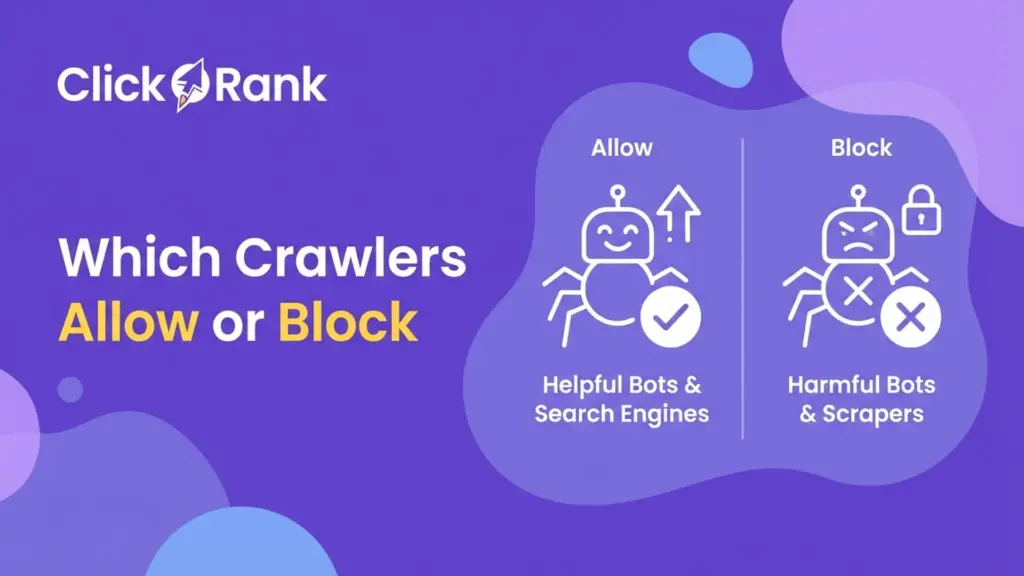
Technical SEO for AI Crawlers & Modern Search Engines, and connects to related clusters like Can AI & LLMs Render JavaScript? and Which Crawlers to Allow or Block. By the end, you’ll have a clear action plan to fix affected URLs and prevent the issue from coming back.
What Does “Indexed Without Content” Mean in Google Search Console?
“Indexed Without Content” means Google has indexed the URL but did not find meaningful HTML content to use.This status appears when Googlebot successfully fetches a page and adds it to the index, yet the HTML response contains little, empty, or unusable content. It matters because indexed pages without readable content cannot rank or satisfy search intent.
In practice, this is not about weak writing. It is almost always a technical delivery problem where Googlebot receives a different response than real users. This often connects to server issues, JavaScript rendering failures, CDN rules, or blocked bot access. If left unfixed, these URLs sit in the index but add no SEO value and can quietly hurt site quality signals over time.
What is the Indexed Without Content status?
It is a coverage status showing Google indexed the page but saw empty or near-empty HTML.In Google Search Console, this means Googlebot received a valid response (usually 200 OK) but could not extract main content. The page exists, but Google cannot understand it.
This usually happens when the server returns blank HTML, content loads only after broken JavaScript, or bot access is limited. Browsers may still show content, which is why this issue often goes unnoticed. The fix is almost always technical, not editorial.
Is “Indexed Without Content” an error or a warning?
It is a warning that signals a serious indexing problem, not a penalty.Google is telling you the page is indexed but unusable. While it does not trigger a manual action, these pages rarely rank and waste crawl budget.
If important URLs show this status, it should be treated as high priority. Fixing it restores Google’s ability to evaluate and rank the page properly.
How is it different from Crawled – Currently Not Indexed?
Indexed Without Content means indexed but empty, while Crawled – Not Indexed means not indexed at all.
With Indexed Without Content, Google accepted the page into the index but found no content. Crawled – Not Indexed usually relates to quality, duplication, or intent issues.
This difference matters because the fix paths are different. Delivery issues come first.
Why does Google index a page without content?
Because Googlebot received a valid response that contained no usable HTML.Common causes include server timeouts, CDN or firewall blocks, incorrect headers, broken JavaScript rendering, consent banners, or login walls. Google indexes what it receives, even if Why This Error Matters for SEO Rankings
Indexed Without Content directly blocks a page’s ability to rank and weakens overall SEO signals.
When Google indexes a URL without usable content, it has nothing to evaluate for relevance, quality, or intent matching. This means the page may exist in the index, but it cannot compete in search results. For SEO, this is one of the most damaging “silent” issues because it often affects important pages without obvious errors.
Over time, large numbers of Indexed Without Content URLs can reduce crawl efficiency and lower trust in your site’s technical reliability. This is especially harmful for modern search and AI-driven systems that rely on clean, consistent HTML. Fixing this issue restores Google’s ability to assess content properly and protects long-term visibility.
Can indexed without content pages rank on Google?
No, pages indexed without content almost never rank.Google needs visible HTML content to understand what a page is about. When content is missing, ranking signals like relevance, topical authority, and helpfulness cannot be calculated.
Even if links point to the page, Google has nothing to connect those signals to. Once meaningful HTML is returned, rankings can recover without rewriting the content itself.
Does this error cause traffic drops?
Yes, it can cause sudden or gradual traffic loss.If ranking pages shift into an Indexed Without Content state, impressions and clicks decline because Google stops showing them for relevant queries.
This often looks like an unexplained drop, especially when users still see the page working in browsers. Restoring proper HTML delivery usually reverses the loss.
Can it affect crawl budget and site quality signals?
Yes, it wastes crawl budget and weakens site quality signals.Googlebot keeps revisiting broken URLs, reducing crawl focus on healthy pages. At scale, this can slow indexing across the site.
Does Google treat these URLs as soft 404s?
Sometimes, when empty responses persist.If Google repeatedly sees empty HTML, it may devalue the URL similar to a soft 404, further reducing trust and visibility.
What John Mueller Says About Indexed Without Content
Google says Indexed Without Content is almost always caused by technical delivery problems, not weak content.John Mueller has repeatedly explained that when Google shows this status, it means Googlebot did not receive meaningful HTML at crawl time. The page may look fine to users, but Google indexes what it sees, not what browsers render later.
This matters because many site owners try to fix this by rewriting content, which does nothing. Google’s guidance is clear: you must fix server behavior, rendering, or blocking rules. Once Googlebot receives proper HTML, the issue usually resolves without changing the page copy. Understanding this saves time and prevents misdirected SEO work.
What is Google’s official explanation?
Google says the page was indexed, but the fetched HTML contained little or no content.
According to Search Console documentation, this status appears when Googlebot receives a valid response but cannot extract useful page content. Google treats this as a technical signal, not a content quality judgment. The fix is ensuring the server returns complete, readable HTML during crawling.
Why does Mueller say this is usually a server issue?
Because servers often respond differently to bots than users.John Mueller explains that timeouts, load balancing issues, and bot protections frequently cause empty responses for Googlebot. These failures don’t always show up in browsers, which is why the issue is commonly missed.
Is JavaScript the main cause according to Google?
No, JavaScript is only one of several common causes.
Google says Indexed Without Content can happen with or without JavaScript. While client-side rendering failures are common, server errors, headers, CDNs, and firewalls are just as frequent.
When does Googlebot see empty HTML?
When the initial HTML response contains no main content.If content loads only after broken scripts, consent prompts, or blocked resources, Googlebot indexes the empty version it receives.
Most Common Causes of Indexed Without Content
Indexed Without Content is most commonly caused by server, CDN, or firewall failures that return empty HTML to Googlebot.In most cases, the content exists and loads for users, but Googlebot receives a broken or incomplete response. This happens because bots trigger different server paths than browsers. When Google gets a valid status code with no real HTML, it still indexes the URL but without content.
Understanding these root causes matters because fixing the wrong thing wastes time. Rewriting content or changing SEO tags will not help if the server response is empty. The solution is almost always technical: stabilizing server responses, adjusting CDN rules, or removing bot restrictions so Googlebot receives the same content as users.
Can server errors cause indexed without content?
Yes, server instability is one of the most common causes of Indexed Without Content.When Googlebot requests a page, the server may respond differently under load. If the server times out or partially loads, Google can receive empty HTML even though the page works in a browser.
5xx server timeouts
Server errors like 502, 503, or timeout-related failures can result in blank responses. Sometimes the server still returns a 200 OK status with no content, which leads directly to this issue. These errors often appear during traffic spikes or weak hosting setups.
Slow TTFB responses
Very slow time-to-first-byte responses can cause Googlebot to abandon content loading. If HTML is delayed too long, Google may index the response before content fully arrives.
Can CDN or firewall rules block Googlebot?
Yes, CDN and firewall rules frequently block or alter responses for Googlebot.ecurity tools often mistake crawlers for bots that should be challenged or filtered.
Cloudflare bot fight mode
Aggressive bot protection can serve challenges or empty responses to Googlebot, even when users see normal pages.
Web Application Firewall (WAF) rules
WAF rules may block Googlebot based on headers, behavior, or request patterns, causing incomplete HTML delivery.
Country or IP blocking
Blocking countries or IP ranges can accidentally block Googlebot IPs, resulting in empty or denied responses during crawling.
Can incorrect HTTP headers trigger this issue?
Yes, incorrect HTTP headers can directly cause Indexed Without Content by telling Google there is no usable HTML.Google relies on headers to understand how to process a response. When headers are wrong, Googlebot may stop parsing content even if the page visually works in a browser. This is a quiet but very common cause of this issue.
Headers are especially risky because they often come from server configs, CMS rules, or CDNs and apply sitewide. A single misconfiguration can affect hundreds of URLs. Google indexes exactly what the headers describe, not what the page “should” contain.
Content-length set to zero
If the content-length header is set to 0, Google assumes the response is empty. Even if HTML exists, Google may ignore it completely and index the URL without content.
Incorrect MIME types
Serving HTML with the wrong MIME type (for example application/json or text/plain) can prevent Google from processing the page as HTML, resulting in empty indexing.
Can JavaScript rendering cause indexed without content?
Yes, JavaScript rendering failures are a major cause when content depends on client-side execution.If important content is injected only after JavaScript runs, and that process fails for Googlebot, the indexed version may contain nothing. This is common on modern frameworks that rely heavily on client-side rendering.
Google can render JavaScript, but it still depends on a clean initial HTML response and working scripts. Any failure during rendering can leave Google with a blank page snapshot.
Client-side rendering failures
If the initial HTML shell is empty and JavaScript fails, Googlebot indexes the empty shell instead of the final page.
Hydration issues
Hydration errors in React, Vue, or similar frameworks can stop content from attaching to the DOM, leaving Google with no visible content.
JS blocked resources
Blocked scripts, APIs, or third-party files can break rendering and result in empty HTML during indexing.
Can cookies and consent banners block Googlebot?
Yes, cookie walls and consent banners can block content if not bot-friendly.If your site requires accepting cookies before loading content, Googlebot may never see the main page text. Google does not click buttons or interact with pop-ups.
This often happens with GDPR tools that hide content behind overlays or scripts. When Googlebot cannot pass the consent step, it indexes the page shell only. Proper configuration should allow bots to access content without interaction.
Can login walls or paywalls trigger this error?
Yes, login walls and paywalls can cause Indexed Without Content if Google cannot access the content.When a page requires authentication, Googlebot may receive a stripped-down or empty response. Even “soft” paywalls that rely on JavaScript can block content unintentionally.
Google recommends allowing limited crawler access or serving a preview version of content. If Google consistently sees empty or gated HTML, it will index the URL without usable content.
Indexed Without Content vs Other Coverage Errors
Indexed Without Content is a delivery failure, while most other coverage statuses are indexing or quality decisions.These errors often look similar in Google Search Console, but they mean very different things and require different fixes. Confusing them leads to wasted effort, such as rewriting content when the real problem is technical.
Understanding the difference helps you prioritize correctly. Indexed Without Content is usually more urgent than other statuses because Google has already tried to index the page and failed to see content. Until this is fixed, rankings are impossible regardless of content quality, links, or optimization.
Indexed without content vs Crawled not indexed
Indexed Without Content means indexed but empty, while Crawled – Not Indexed means Google chose not to index.In the first case, Google added the URL to the index but couldn’t extract content. In the second, Google crawled the page and decided it was not worth indexing yet.
Crawled – Not Indexed often relates to duplication, weak intent match, or low perceived value. Indexed Without Content is almost always a technical delivery issue that must be fixed before anything else matters.
Indexed without content vs Discovered not indexed
Indexed Without Content means Google fetched the page; Discovered – Not Indexed means it has not been crawled.Discovered – Not Indexed usually points to crawl budget limits, internal linking gaps, or low priority URLs.
Indexed Without Content is more severe because Google already crawled the page and failed to see content. That signals a broken response, not a scheduling delay.
Indexed without content vs Soft 404
Indexed Without Content indicates empty HTML, while Soft 404 indicates no value.Soft 404 pages return content that looks like an error or has no meaningful purpose. Indexed Without Content pages return almost nothing at all.
Which one should you fix first?
Fix Indexed Without Content first.Until Google receives real HTML, no other SEO improvements can work.
How to Diagnose Indexed Without Content Step-by-Step
Diagnosing Indexed Without Content requires checking what Googlebot actually sees, not what your browser shows.This issue is tricky because pages often look normal to users while appearing empty to Google. The only reliable way to confirm the problem is by using Google Search Console tools and comparing Googlebot’s view with real browser output.
A proper diagnosis prevents guesswork. Instead of rewriting content or changing SEO tags, you can pinpoint whether the issue comes from servers, JavaScript, headers, or blocking rules. Follow these steps in order to confirm the issue clearly and identify the exact failure point before applying fixes.
How to confirm the issue using URL Inspection tool?
Use the URL Inspection tool to check the indexed page version.Enter the affected URL in Google Search Console and review the “Page indexing” status. If it shows Indexed Without Content, open the inspection details.
Scroll to the “Page resources” and “HTML” sections. If the HTML snapshot lacks main content or is extremely small, the issue is confirmed. This view reflects what Google actually indexed, not what your browser loads.
What does “View Crawled Page” actually show?
It shows the raw HTML Googlebot received during crawling.This is the most important diagnostic step. The HTML shown here is what Google used to index the page.
If the content area is empty, missing, or contains only layout elements, Google had nothing to work with. This confirms a delivery or rendering problem, not a content quality issue.
How to use Live Test vs Indexed Version?
Live Test shows current behavior, Indexed Version shows stored behavior.Use Live Test to see how Googlebot fetches the page right now. Compare it with the Indexed Version.
If Live Test shows content but Indexed Version does not, the issue may already be fixed or caused by caching, timing, or intermittent failures.
Why third-party SEO tools may not detect this problem?
Because most tools crawl like browsers, not Googlebot.They do not replicate Googlebot’s user-agent, IP ranges, or rendering pipeline, so they miss bot-only failures.
How to compare Googlebot vs browser HTML output?
Fetch the page using a Googlebot user-agent and compare HTML.If Googlebot sees empty HTML while browsers see content, you’ve identified the root cause.
Advanced Technical Diagnosis
Advanced diagnosis focuses on detecting bot-only failures that standard SEO checks miss.Most sites stop troubleshooting after Search Console, but Indexed Without Content issues often live deeper in server logs, CDN layers, or edge caching logic. These problems only affect Googlebot, which is why competitors frequently overlook them.
This level of diagnosis matters because Google indexes what its crawler receives at the infrastructure level. If Googlebot is served empty or altered HTML anywhere in the request chain, the page will be indexed without content even if everything looks perfect in a browser. The steps below help uncover those hidden differences and confirm exactly where content is being lost.
How to check server logs for Googlebot access?
Check server logs to confirm Googlebot receives full responses, not empty ones.Review access logs for Googlebot user-agents and verify three things: status code, response size, and response time. A 200 status with very small byte size is a red flag.
Compare Googlebot log entries with normal browser requests for the same URLs. If Googlebot consistently receives fewer bytes or longer response times, the issue is server-side and repeatable.
Which Googlebot IP ranges should be allowed?
Only official Googlebot IP ranges should be allowed without restriction.Blocking or rate-limiting these IPs can cause partial or empty responses. Always verify Googlebot IPs using reverse DNS, then whitelist them in firewalls and CDNs.
Avoid broad bot blocking rules that rely only on user-agent strings. Those rules often block legitimate crawlers by mistake.
How to detect CDN response differences for bots vs users?
Compare cached responses served to Googlebot and browsers.Some CDNs serve different cache variants based on headers, IPs, or user-agents. Test whether Googlebot hits a different cache key.
If bots receive uncached or broken versions while users get cached HTML, the CDN configuration is the problem.
How to test raw HTML using curl and fetch tools?
Fetch raw HTML using curl with a Googlebot user-agent.This bypasses browsers and shows exactly what Googlebot may receive. Compare this output with a normal curl request.
If the Googlebot fetch returns empty or incomplete HTML, the issue is confirmed outside of Search Console.
Can edge caching cause empty HTML responses?
Yes, edge caching can store and serve empty HTML by mistake.If a failed response is cached at the edge, Googlebot may repeatedly receive empty HTML even after the site recovers. Clearing or adjusting edge cache rules often resolves this instantly.
How to Fix Indexed Without Content Error (Complete Guide)
Fixing Indexed Without Content requires ensuring Googlebot receives full, meaningful HTML every time it crawls.
This is not a content rewrite problem. It is a delivery problem. Once Googlebot gets the same complete response as real users, the issue usually resolves without changing page copy or SEO tags.
The fixes below focus on the most common failure points: server restrictions and CDN or firewall rules. Apply these changes carefully, then re-test affected URLs in Google Search Console before requesting indexing. Stability is key Google must see consistent, correct HTML over multiple crawls.
How to fix server-side blocking issues?
Fix server-side blocking by making sure Googlebot is never restricted or cut off.Servers often block bots unintentionally due to security rules, rate limits, or low timeout settings. These rules must be adjusted so Googlebot can fully load the page.
Remove bot restrictions
Review server-level bot blocking rules, including .htaccess, NGINX configs, and security plugins. Remove any rule that blocks or challenges known Googlebot user-agents. Avoid generic “block all bots” logic.
Increase timeout thresholds
Increase server timeouts so Googlebot has enough time to receive full HTML. Short timeouts can cause Googlebot to get partial or empty responses, especially on heavy pages or slow hosting.
How to fix CDN and firewall problems?
Fix CDN and firewall issues by allowing Googlebot to pass without challenges.CDNs and WAFs frequently cause Indexed Without Content by serving alternate or blocked responses to bots.
Disable aggressive bot protection
Turn off aggressive bot fight modes or challenge pages for Googlebot. These tools often block or alter responses instead of returning real HTML.
Allow Googlebot user agents
Explicitly allow Googlebot user-agent strings in CDN and firewall rules. This ensures requests are not filtered or delayed.
Whitelist Google IP ranges
Whitelist verified Googlebot IP ranges at the CDN and firewall level. This prevents accidental blocking and ensures consistent HTML delivery during crawling.
How to fix JavaScript-related issues?
Fix JavaScript-related issues by making sure core content exists in the initial HTML response.Indexed Without Content often happens when important content loads only after JavaScript runs. If scripts fail, are blocked, or time out, Googlebot indexes an empty page. The safest fix is to reduce Google’s reliance on client-side rendering.
JavaScript should enhance pages, not deliver all meaning. Google recommends ensuring that essential content is visible without requiring complex script execution. The methods below are proven ways to do that reliably.
Implement server-side rendering (SSR)
SSR generates full HTML on the server before sending it to Googlebot. This ensures content is immediately available during crawling, even if JavaScript fails later. SSR is ideal for SEO-critical pages like blogs, category pages, and landing pages.
Use static site generation (SSG)
SSG builds pages ahead of time and serves ready-made HTML. This removes runtime failures entirely and is one of the most reliable solutions for Indexed Without Content issues on content-heavy sites.
Apply dynamic rendering only if required
Dynamic rendering serves pre-rendered HTML to bots and JavaScript-heavy versions to users. Use this only when SSR or SSG is not possible, as Google considers it a workaround, not a long-term strategy.
How to ensure meaningful HTML is returned?
Ensure meaningful HTML by including visible text content in the initial response.The HTML should contain headings, body text, and internal links without waiting for JavaScript. Avoid empty <div> structures that rely on scripts to populate content. Always test the raw HTML response to confirm content is present.
How to verify fixes before requesting indexing?
Verify fixes by rechecking HTML with Google Search Console and raw fetch tests.Use the URL Inspection tool’s Live Test to confirm Googlebot now sees full content. Compare HTML output again using Googlebot user-agent fetches.
Once content appears consistently, request indexing only after verifying multiple successful fetches. This prevents reindexing empty pages again.
How to Prevent Indexed Without Content Issues in Future
Preventing Indexed Without Content issues requires building systems that always deliver full HTML to Googlebot.Once you fix the problem, prevention becomes the real win. These issues usually return when sites scale, change hosting, add security layers, or migrate frameworks. Without safeguards, Googlebot may again receive empty or altered responses.
Future-proofing means designing your rendering, CDN rules, and monitoring around crawler reliability not just user experience. When Google consistently receives clean, complete HTML, indexing stays stable and ranking signals remain strong. The practices below help you lock in that stability and avoid repeated coverage problems.
Should you use SSR for SEO-critical pages?
Yes, SSR is strongly recommended for SEO-critical pages.Server-side rendering ensures Googlebot receives full content immediately, without depending on JavaScript execution. This makes indexing more reliable for blog posts, landing pages, category pages, and documentation.
You don’t need SSR everywhere. Use it where rankings and organic traffic matter most. This reduces risk while keeping development flexible.
How to design bot-friendly CDN rules?
Design CDN rules that never challenge or alter Googlebot requests.Always allow verified Googlebot IPs and user-agents. Avoid bot fight modes, CAPTCHA challenges, or rate limits for search crawlers.
Keep cache logic simple. Serve the same cached HTML to bots and users whenever possible to prevent empty edge responses.
Why log monitoring is essential for indexing health?
Because logs reveal what Googlebot actually receives.Search Console shows symptoms. Server logs show causes. Monitoring response size, status codes, and fetch times helps detect empty HTML early before rankings drop.
How to automate indexing error alerts?
Automate alerts using Search Console and log monitoring.Set notifications for coverage changes and sudden spikes in Indexed Without Content URLs. Early alerts prevent widespread damage.
How often should you audit coverage reports?
Audit coverage reports at least once per month.For large or frequently updated sites, weekly checks are safer. Regular audits catch delivery issues before they affect visibility.
Best Practices Recommended by Google
Google expects every crawled page to return complete, accessible HTML with meaningful content.Indexed Without Content issues usually appear when a site breaks one of Google’s core crawling expectations. These expectations are not advanced SEO tricks they are basic delivery rules that modern websites must follow to stay indexable.
Google’s guidance focuses on consistency. What users see and what Googlebot receives should be the same. When HTML is clean, status codes are correct, and rendering is reliable, Google can index and rank pages without friction. Following the best practices below reduces indexing errors and protects long-term visibility across classic and AI-driven search systems.
What Google expects when crawling pages?
Google expects a stable, fast response with visible content in the initial HTML.Googlebot should not be blocked, challenged, redirected unnecessarily, or forced to interact with pop-ups. The server must return the full page content on first request, without relying on user actions or cookies.
If content is hidden, delayed, or conditional, Google may index an empty version of the page.
Minimum HTML content requirements
Google expects meaningful text content to exist in raw HTML.While Google does not publish a word minimum, the HTML should include headings, body text, and internal links that explain the page topic. Pages built with empty containers that rely entirely on JavaScript are at high risk.
Best response status codes
Google expects correct and consistent HTTP status codes.Use 200 OK for valid pages, 404 or 410 for removed pages, and avoid returning 200 OK for empty or error pages. Misleading status codes confuse indexing systems.
Rendering best practices for modern websites
Google recommends reducing reliance on client-side rendering for core content.Use server-side rendering or static HTML for important pages. Ensure scripts, APIs, and resources needed for rendering are not blocked. Test rendering regularly using Google’s tools.
What does ‘Indexed Without Content’ mean in Google Search Console?
‘Indexed Without Content’ is a Google Search Console status that indicates a URL is in Google’s index, but Googlebot couldn’t retrieve meaningful content when crawling it. This usually happens even though the page may look normal to human visitors.
Why does Google show ‘Indexed Without Content’ if the page loads normally?
This typically means Googlebot was blocked or couldn’t access the rendered content, often due to server or CDN configurations that allow regular visitors but prevent Googlebot from retrieving the content it expects.
Is JavaScript the reason behind ‘Indexed Without Content’?
No John Mueller from Google has clarified that this error is rarely caused by JavaScript rendering issues. Instead, it is usually due to server-level or CDN restrictions preventing Googlebot from receiving the page content.
What are common technical causes for this indexing issue?
Common triggers for ‘Indexed Without Content’ include bot protection rules, firewall or CDN blocking Googlebot IPs, rate limiting, and server misconfigurations that deliver empty responses specifically to Google’s crawler.
How can I confirm the ‘Indexed Without Content’ issue is real?
Use Google Search Console’s URL Inspection and Live Test tools these show exactly what Googlebot sees. External tools like curl, browser checks, and third-party crawlers may not reveal the problem because they don’t behave exactly like Googlebot.
How do I fix the ‘Indexed Without Content’ error?
To fix this error: Check server and CDN settings to ensure Googlebot isn’t blocked. Whitelist Googlebot IP ranges or bot access rules. Review firewall and bot protection configurations that may treat Googlebot differently. Use Search Console URL Inspection to verify rendered content and then request re-indexing once the fix is confirmed.