
What Is Site Migration and Why Does It Matter for Technical SEO?
Moving your website from one location to another is never only a technical task; it is a high-impact SEO operation that can directly affect your organic visibility.
The stakes are high. One wrong move during website migration can tank your rankings overnight. Search engines like Google need time to understand and process these changes. During this transition period, your site’s authority, indexed pages, and traffic patterns are all at risk.
Technical SEO comes into play because search engines rely on specific signals to understand your site. When you execute a site migration, these signals get disrupted. URLs change, internal links break, and crawlers need to relearn your entire site structure. Without proper planning, you’re essentially telling Google to forget everything it knew about your website.
The difference between a successful site migration and a catastrophic one lies in preparation. Sites that maintain their SEO equity through a move follow strict protocols, create comprehensive redirect maps, and monitor every metric post-launch. Those that don’t often spend months trying to recover lost traffic and rankings they may never fully regain.
What Are the Different Types of Site Migrations?
Understanding the specific type of website migration you’re undertaking helps you anticipate risks and prepare accordingly. Each migration type presents unique challenges and requires different SEO safeguards.
What is a domain migration?
Domain migration means moving your entire website from one domain name to another. This could be changing from oldcompany.com to newcompany.com, or switching from a .net to a .com extension.
This type affects every single URL on your site. Search engines need to understand that your old domain’s authority should transfer to the new one. The biggest risk here is losing your established domain authority and brand recognition in search results.
When planning domain migration, you must account for every backlink, social share, and branded search query pointing to your old domain. This makes it one of the most complex migration scenarios.
What is a protocol migration (HTTP to HTTPS)?
Protocol migration involves upgrading your site from HTTP to HTTPS, adding that secure padlock to your URLs. This became essential after Google started using HTTPS as a ranking signal.
While this seems simple, it requires updating every internal link, canonical tag, and sitemap entry. Mixed content warnings can break functionality and hurt user trust if not handled properly during the site migration process.
What is a subdomain or subfolder migration?
This migration type involves moving content between subdomains (blog.yoursite.com) and subfolders (yoursite.com/blog), or vice versa. The choice between these structures affects how search engines attribute authority and how users perceive your site architecture.
Subfolders generally consolidate domain authority better, which is why many sites choose this migration path from subdomains to subfolder structures. However, the reverse can make sense for enterprise sites managing distinct product lines.
What is a CMS or platform migration?
Platform migrations involve switching your content management system moving from WordPress to Shopify, for example, or from a custom-built platform to a commercial CMS.
These site migration projects often trigger URL structure changes, template modifications, and technical implementation differences. Your site’s underlying code changes completely, which can affect page speed, rendering, and crawlability.
What is a design or structure migration?
Design migrations involve overhauling your site’s visual appearance and user interface while potentially keeping the same URLs. However, major design changes often coincide with information architecture updates.
This type affects SEO through changes in internal linking, navigation hierarchy, and content presentation. If your new design hides content behind tabs or sliders, search engines might have trouble accessing it during the site migration.
What is a content or URL restructuring migration?
This website migration focuses on reorganizing your site’s content hierarchy and URL patterns. You might be consolidating redundant pages, creating new category structures, or optimizing URL slugs for better keyword targeting.
Content restructuring requires careful mapping of old URLs to new ones. Merged pages need consolidated redirects, and you must decide how to handle deleted content without creating a redirect mess.
What is a server or hosting migration?
Server migration involves moving your website to a different hosting provider or server infrastructure. While URLs might stay the same, the underlying IP address and server configuration change.
This affects site speed, uptime during the transition, and potentially server-side SEO elements like response codes and redirect handling. Downtime during this type of site migration can temporarily impact crawlability.
How does each migration type affect SEO differently?
Different migration types carry varying SEO implications:
- Domain migration: Highest risk for authority loss and ranking drops
- Protocol migration: Lower risk if implemented correctly with proper redirects
- Platform migration: Medium to high risk depending on URL structure changes
- Design migration: Variable risk based on content accessibility changes
- Content restructuring: High risk for specific URLs but manageable with proper planning
- Server migration: Low risk if downtime is minimized and configurations match
Which migration type carries the highest SEO risk?
Domain migration combined with platform changes represents the highest risk scenario. You’re asking search engines to understand multiple fundamental changes simultaneously new domain, new URL patterns, potentially new content organization.
Website migration SEO becomes exponentially more complex when you stack multiple migration types together. Each additional change multiplies the potential points of failure and extends recovery time.
How can you identify the type of migration you’re planning?
Map out every change you’re making to your website:
- Is the domain name changing?
- Will URL structures differ?
- Are you switching platforms or redesigning?
- Is content being reorganized or consolidated?
Your site migration might involve multiple types simultaneously. Identifying each component helps you create appropriate safeguards and set realistic expectations for SEO impact and recovery timelines.
When Should You Consider Migrating Your Website?
Timing a site migration requires balancing business needs with SEO considerations. Rushed migrations often fail, while delaying necessary moves can hold back business growth.
What are the most common reasons for website migration?
Businesses typically initiate site migration for these reasons:
- Rebranding: New company name or market positioning requires domain change
- Platform limitations: Current CMS can’t support growth or needed features
- Security requirements: Moving to HTTPS or more secure hosting
- Merger or acquisition: Combining multiple sites or brands
- Performance issues: Slow hosting or outdated infrastructure hurting user experience
- Design obsolescence: Outdated look damaging brand perception and conversion rates
Each reason carries its own urgency level. Security vulnerabilities demand immediate site migration action, while aesthetic updates can be timed strategically.
How can you tell if your business truly needs a migration?
Ask yourself these critical questions before committing to site migration:
- Are you losing business opportunities due to current site limitations?
- Is your site’s performance measurably hurting conversion rates?
- Have you exhausted all options for improving your current setup?
- Do you have the resources and expertise to execute migration properly?
Sometimes, what looks like a migration need is actually a symptom of poor optimization on your current site. A comprehensive technical SEO audit might reveal fixes that eliminate site migration necessity entirely.
What are the risks of migrating a site too early or too late?
Migrating too early means disrupting SEO momentum before maximizing your current site’s potential. You might trigger ranking volatility just as your content strategy starts paying off.
Delaying site migration too long, however, compounds technical debt. Older sites accumulate SEO issues that become harder to untangle. Your competitors might gain ground while you’re stuck with outdated technology that limits growth opportunities.
How can SEO audits help decide migration timing?
A thorough audit reveals whether your site’s current foundation supports your goals. If the audit shows fundamental structural problems that can’t be fixed incrementally, site migration timing becomes clearer.
Tools like Screaming Frog can identify how much technical debt exists. If you’re facing hundreds of broken redirects, massive crawl budget waste, and unfixable structural issues, migration might be your best path forward.
Should seasonal businesses delay migration?
Absolutely. Never execute site migration during peak revenue periods. An e-commerce site shouldn’t undergo domain migration in November or December. Travel sites should avoid migrating before summer booking season.
Plan your website migration for your slowest traffic period. This minimizes revenue risk and gives you breathing room to address post-launch issues before high-stakes traffic arrives.
How Do You Prepare for a Successful Site Migration?
Preparation separates successful migrations from disasters. Most site migration failures trace back to inadequate planning rather than poor execution.
What pre-migration SEO checklist should you follow?
Your pre-site migration checklist must include:
- Complete URL inventory: Export every indexed URL from your current site
- Traffic baseline: Document current organic sessions, rankings, and conversion rates
- Backlink audit: Identify your most valuable inbound links
- Content audit: Catalog all pages, posts, and resources
- Technical benchmark: Record current page speed, Core Web Vitals, and mobile usability
- Ranking snapshot: Track positions for target keywords before migration
- Analytics configuration: Ensure tracking codes will transfer properly
This documentation becomes your recovery roadmap if things go wrong during site migration.
How do you create a complete URL mapping file?
A URL mapping file connects every old URL to its new destination. This spreadsheet becomes your site migration blueprint.
Start by crawling your current site completely. Export all URLs, then map each one to its new location. For pages that won’t exist post-migration, identify the most relevant redirect target.
Your mapping file should include:
- Old URL (full path)
- New URL (full path)
- Redirect type (301, 302, or 410)
- Page title
- Key targeting keywords
- Current traffic data
- Inbound link count
Why is benchmarking important before migration?
Without baseline metrics, you can’t measure site migration success or diagnose problems accurately. Benchmarking provides the “before” snapshot you’ll compare against post-migration performance.
Focus on recording:
- Organic traffic by landing page
- Keyword rankings for target terms
- Crawl stats and index coverage
- Page speed metrics
- Backlink profile snapshot
- Conversion rates by source
These benchmarks help you distinguish between normal fluctuations and migration-related issues.
What tools can help you crawl and analyze your site before migrating?
Several tools excel at pre-site migration analysis:
- Screaming Frog: Desktop crawler for comprehensive URL audits
- Sitebulb: Visual crawler with excellent reporting for complex sites
- Google Search Console: Shows exactly which pages Google has indexed
- Ahrefs or SEMrush: Provides backlink data and current rankings
- Google Analytics: Historical traffic patterns and conversion data
How do you use Screaming Frog or Sitebulb for mapping?
Configure your crawler to capture all essential SEO elements for site migration:
- Set the crawler to follow all internal links
- Include custom extractions for metadata, schema, and canonical tags
- Export all discovered URLs with their response codes
- Filter for 200-status pages that should migrate
- Cross-reference with Google Search Console data to catch URLs your crawler might miss
Sitebulb offers better visualization for understanding site architecture, while Screaming Frog provides more granular control for large-scale site migration crawls.
What KPIs should you record before migration?
Document these specific metrics before your site migration:
- Total organic sessions (weekly and monthly averages)
- Organic revenue and conversion rate
- Average session duration and bounce rate
- Number of indexed pages in Google
- Average position for top 20 keywords
- Core Web Vitals scores (LCP, FID, CLS)
- Crawl rate from server logs
- Number of sitelinks in branded search results
How can staging environments prevent costly mistakes?
A staging environment lets you test the migrated site before exposing it to search engines and users. You can identify broken redirects, missing tags, and functionality issues without risking live traffic.
Configure your staging site to block search engines with robots.txt, then conduct thorough site migration testing:
- Click through every redirect mapping
- Verify all metadata transferred correctly
- Test form submissions and interactive features
- Run speed tests on representative pages
- Check mobile rendering and responsiveness
How Should You Plan a Site Migration Project?
Project planning transforms site migration from a technical gamble into a managed process with defined owners, timelines, and success criteria.
What key roles and stakeholders are involved?
Successful website migration requires coordination across multiple disciplines:
- SEO Lead: Owns the redirect map, monitors rankings, and identifies technical issues
- Development Team: Implements redirects, transfers content, and handles technical configuration
- Project Manager: Coordinates timeline, resolves conflicts, and maintains communication
- Content Team: Ensures content transfers correctly and updates internal links
- Analytics Specialist: Configures tracking and monitors data integrity
- Executive Sponsor: Provides resources and makes final decisions on trade-offs
Each role needs clear responsibilities documented before site migration work begins.
How do you define the migration goals and KPIs?
Set specific, measurable goals for your site migration:
- Maintain 95% of organic traffic within 30 days post-migration
- Keep 100% of top 10 keyword rankings throughout transition
- Achieve zero redirect errors or broken links at launch
- Complete migration within defined budget
- Improve Core Web Vitals scores by 20%
These goals create accountability and help prioritize decisions when trade-offs arise during site migration.
What timeline should you expect for different migration types?
Different site migration types require different timeframes:
- Protocol migration (HTTP to HTTPS): 2-4 weeks for small sites, 4-8 weeks for large properties
- Domain migration: 6-12 weeks minimum for comprehensive planning and execution
- Platform migration: 8-16 weeks depending on customization complexity
- Content restructuring: 4-10 weeks based on site size
Never compress timelines to meet arbitrary deadlines. Rushed site move SEO almost always results in problems that cost more time fixing than would have been spent planning properly.
How do you test your migration plan before launch?
Testing should happen in waves before site migration launch:
- Internal QA: Team members click through redirect mappings and verify all elements
- User acceptance testing: Non-technical stakeholders verify business requirements
- Performance testing: Load testing ensures new infrastructure handles traffic
- SEO technical audit: Comprehensive crawler verification of all SEO elements
- Soft launch: If possible, migrate a small section first to validate process
What’s the role of developers in SEO migration planning?
Developers implement the redirect rules, configure server settings, and ensure technical requirements are met for site migration. Their early involvement prevents situations where SEO recommendations prove technically impossible.
Schedule regular check-ins between SEO and development teams. Misalignment between these groups causes most site migration failures.
How can project management tools help coordinate the process?
Tools like Asana, Monday, or Trello create visibility across teams during site migration. Your project management system should track:
- Individual task completion status
- Dependencies between different work streams
- Decision logs with rationale documented
- Risk register with mitigation plans
- Communication timeline for stakeholders
This coordination prevents the common scenario where development finishes their work, but the SEO team hasn’t completed redirect mapping yet for the site migration.
How Do You Execute a Site Migration Without Losing SEO?
Execution is where planning meets reality. Even perfect preparation fails without careful implementation of technical details during site migration.
How do you manage redirects properly?
Redirects are your site migration’s safety net. They tell search engines and users where content moved.
Implement these redirect best practices:
- Use 301 redirects for permanent moves (almost all migrations)
- Redirect to the most relevant equivalent page, not just the homepage
- Implement redirects at the server level, not through JavaScript or meta refresh
- Test each redirect individually before launch
- Redirect the exact old URL, including HTTP/HTTPS and www/non-www variations
- Preserve URL parameters when they’re meaningful
How do you ensure all metadata and tags are preserved?
Metadata helps search engines understand your pages during site migration. Losing it erases important optimization work.
Verify these elements transfer correctly:
- Title tags maintaining target keywords
- Meta descriptions that drive click-through rates
- Header tag hierarchy (H1, H2, H3)
- Alt text on all images
- Schema markup for rich results
- Canonical tags pointing to correct URLs
- Hreflang tags for international sites
Create a pre and post-site migration comparison spreadsheet. Crawl both sites and compare metadata side-by-side to catch missing elements.
How do you verify canonical URLs post-migration?
Canonical tags tell search engines which version of a URL to index. After domain migration, these tags need updating to point to your new domain.
Check for:
- Self-referencing canonicals on all pages
- No canonicals pointing back to old domain
- Consistent protocol (HTTPS) across all canonical tags
- Proper canonicalization of parameter variations
How do you update internal linking structures?
Internal links on your new site should point to new URLs after site migration, not rely on redirects. While redirects work, they add unnecessary hops that waste crawl budget and slow page speed.
Use find-and-replace tools to update:
- Navigation menu links
- Footer links
- Contextual links within content
- Image source URLs
- JavaScript and CSS references
- Structured data URLs
How do you update XML sitemaps and robots.txt?
Your XML sitemap tells search engines which pages to crawl after site migration. It needs complete updating.
Sitemap requirements:
- Include only new URLs (not old ones)
- Submit to Google Search Console immediately after launch
- Update sitemap reference in robots.txt
- Verify all listed URLs return 200 status codes
- Keep sitemap size under 50MB and 50,000 URLs per file
Update robots.txt to:
- Allow crawling of new site structure
- Block any staging or development environments
- Include new sitemap location
What is the best redirect strategy (301 vs 302)?
Use 301 redirects for permanent site migration. This status code tells search engines to transfer ranking signals from old URLs to new ones.
Never use 302 redirects for migration they signal a temporary move and prevent authority transfer. The only exception might be during testing phases before official site migration launch.
How can you automate redirects for large sites?
Manual redirect creation becomes impossible for site migration involving thousands of pages. Automation prevents human error and saves massive time.
Strategies for automation:
- Use regular expressions (regex) for pattern-based redirects
- Leverage scripting to generate redirect rules from your mapping file
- Implement redirect rules in your CDN or load balancer for better performance
- Use .htaccess (Apache) or Nginx configuration files for server-level redirects
Test automated rules thoroughly on a staging environment before production deployment during site migration.
How do you prevent redirect chains and loops?
Redirect chains occur when URL A redirects to URL B, which redirects to URL C. Each hop degrades ranking signal transfer and slows page loads during site migration.
Prevent chains by:
- Ensuring all old URLs redirect directly to final destinations
- Updating internal links to point to final URLs
- Testing redirect paths with tools like Screaming Frog’s redirect chain checker
- Regular auditing post-migration to catch newly created chains
Redirect loops create infinite redirect cycles that break pages completely. Test every redirect before site migration launch to ensure destinations are valid.
What SEO Checks Should You Run After Migration?
Post-site migration monitoring catches issues before they cause significant damage. The first 30 days after migration are critical.
How do you confirm that redirects are working correctly?
Test redirects systematically after site migration:
- Sample test old URLs manually in a browser
- Run a full crawl starting from old domain to verify redirect implementation
- Check redirect status codes (should be 301, not 302 or 307)
- Verify redirects work for both www and non-www versions
- Test HTTPS and HTTP variants of old URLs
Use browser developer tools to inspect the redirect chain for each URL type after site migration.
How do you validate crawlability and indexing?
Indexing is how search engines add your new URLs to their database after site migration. Validation ensures this process happens correctly.
Monitor these signals:
- Googlebot crawl rate in Search Console
- Index coverage reports showing new URLs being discovered
- Decreasing count of old URLs in index
- No unexpected increase in crawl errors
- Robots.txt allowing access to all intended sections
Submit your updated sitemap immediately after site migration launch to accelerate discovery.
How do you monitor ranking and traffic drops?
Rankings fluctuate during any website migration. Distinguish between expected volatility and real problems.
Set up daily tracking for:
- Organic sessions from Google Analytics
- Rankings for your top 50 keywords
- Index coverage in Search Console
- Conversion rates to spot functionality issues
- Page load times to catch performance regressions
Create alerts for significant drops (>20% in any metric) so you can respond quickly after site migration.
How do you identify and fix migration errors quickly?
Speed of response determines whether errors become catastrophes after site migration. Set up monitoring that surfaces issues immediately.
Common error patterns to watch:
- Spike in 404 errors in Search Console
- Soft 404s where pages return 200 but contain no content
- Redirect errors or loops
- Mixed content warnings breaking HTTPS
- Missing canonical tags or incorrect implementations
- Broken internal links creating dead ends
What are the most common post-migration technical issues?
Expect these frequent problems after site migration:
- Missed redirects: URLs from old site returning 404 errors
- Incorrect redirect targets: Pages redirecting to wrong destinations
- Broken internal links: Links still pointing to old domain
- Missing metadata: Title tags, descriptions, or alt text not transferred
- Canonical issues: Tags still pointing to old domain
- Sitemap problems: Old URLs listed or new URLs missing
- Robots.txt blocking important sections: Accidentally disallowing crawlers
How can Google Search Console help diagnose problems?
Search Console becomes your primary diagnostic tool post-site migration.
Key reports to monitor:
- Coverage report: Shows indexing errors and which URLs Google can’t access
- Performance report: Displays ranking and traffic changes by query
- Crawl stats: Reveals if Googlebot is having difficulty accessing your site
- URL inspection tool: Tests specific URLs to see how Google processes them
- Manual actions: Alerts you to any penalties applied during migration
How do you use analytics to measure post-migration performance?
Set up custom dashboards comparing pre and post-site migration metrics:
- Create annotations marking migration date
- Segment traffic by landing page to identify problematic URLs
- Compare time periods before and after migration
- Track conversion rates to ensure functionality wasn’t broken
- Monitor site speed metrics for each template type
Filter out your own team’s traffic to avoid skewing data during heavy testing periods after site migration.
How Do You Handle Design and Content Changes During Migration?
Design and content modifications complicate website migration SEO. Separating these changes from pure technical migration reduces risk.
How can changing your design affect SEO signals?
Design changes impact user engagement metrics that Google considers during site migration:
- Time on site and bounce rate shift with new layouts
- Click-through rates change when CTAs move or appear differently
- Navigation changes alter internal link flow
- Content hiding behind tabs or accordions might not be crawled
- New templates might have slower load times
Where possible, migrate site move SEO technical elements first, then implement design changes afterward. This isolates variables when diagnosing issues after site migration.
What happens if your site structure changes dramatically?
Significant information architecture changes reset how search engines understand topic relationships on your site during migration.
Changing from flat structure to deep hierarchy (or vice versa) affects:
- Internal link authority flow
- Keyword targeting clarity
- User navigation patterns
- Crawl depth requirements
How do you preserve content hierarchy and keyword targeting?
Content hierarchy signals topical authority during site migration. Your new structure should maintain or improve these relationships.
Preserve hierarchy by:
- Keeping similar URL patterns for related content
- Maintaining internal linking between topically related pages
- Ensuring breadcrumb navigation reflects logical relationships
- Grouping content under meaningful category structures
Each page should maintain its keyword focus post-site migration. If a page ranked for “blue widgets,” the new URL should target the same term with similar content.
How do you handle deleted or merged pages?
Not all content deserves a new home during site migration. Low-quality or redundant pages might be best left behind.
For deleted pages:
- Redirect to the most relevant existing page if topically related
- Redirect to parent category if no specific match exists
- Use 410 status codes for genuinely dead content with no alternative
- Consider 301 redirecting to homepage only as last resort
For merged pages during site migration:
- Combine content into single comprehensive resource
- Redirect all old URLs to the consolidated page
- Ensure the new page covers all topics from original pages
- Update internal links to point to specific sections using anchor links
Should you refresh old content after migration?
Migrating presents an opportunity to improve content quality. However, massive content changes during site migration create variables that complicate troubleshooting.
Best approach:
- Update obviously outdated information and broken references
- Fix technical issues like missing images or broken embeds
- Save major content rewrites for 2-3 months post-site migration
- Prioritize technical accuracy over content perfection at launch
What Are the Common SEO Mistakes During Site Migrations?
Understanding common failures helps you avoid repeating others’ mistakes. Most site migration disasters follow predictable patterns.
What happens if redirects are missed?
Missing redirects create 404 errors that frustrate users and waste link equity during site migration. Even a small percentage of missed redirects can significantly impact traffic.
Pages without proper redirects:
- Return 404 errors to users and search engines
- Lose all accumulated ranking signals and authority
- Drop out of search results entirely
- Waste valuable backlinks pointing to them
The impact multiplies for high-traffic pages. A single missed redirect on a top landing page can cost thousands in lost monthly sessions after site migration.
Why do some sites lose rankings after migration?
Ranking drops happen for several reasons during website migration:
- Redirect delays: Search engines need time to transfer authority
- Content changes: Altered content no longer matches search intent as well
- Technical issues: Slow page speed or crawlability problems
- Lost signals: Broken structured data or missing metadata
- Structural changes: New information architecture dilutes topical authority
- Keyword optimization gaps: Target keywords not preserved in new URLs or content
Temporary ranking fluctuation is normal after site migration. Permanent losses indicate problems that need immediate diagnosis and correction.
How can developers and SEOs miscommunicate during migration?
Miscommunication creates expensive mistakes during site migration:
- Developers implement redirects after launch instead of at launch
- SEO assumes developers know best practices without verification
- Technical limitations aren’t communicated until implementation phase
- Redirect specifications are ambiguous or incomplete
- Changes get deployed without SEO review
Prevent this through:
- Shared documentation everyone references
- Regular sync meetings during planning and execution
- Clear hand-off protocols between teams
- Technical review checkpoints before each phase
What are the hidden pitfalls in JavaScript-heavy sites?
JavaScript frameworks create unique site migration challenges. Content rendered client-side might not transfer to the new site as expected.
Common JavaScript pitfalls:
- Server-side rendering not properly configured post-migration
- Redirects implemented in JavaScript instead of server-level
- Metadata managed by JavaScript frameworks not transferring
- Pre-rendering solutions failing on new infrastructure
- Dynamic URLs not properly mapped in redirect rules
How do JavaScript frameworks complicate SEO migrations?
Frameworks like React, Vue, or Angular render content differently than traditional HTML sites during site migration. This affects how search engines crawl and index pages.
Specific complications:
- Google might not see content if server-side rendering breaks
- Redirect rules might not catch framework routing patterns
- Dynamic sitemaps need different generation approaches
- Testing requires rendering capabilities that basic crawlers lack
How can you audit JavaScript rendering post-migration?
Use tools that execute JavaScript like real browsers after site migration:
- Google’s Mobile-Friendly Test shows rendered output
- Chrome DevTools Network panel reveals what’s actually loading
- Screaming Frog’s JavaScript rendering mode crawls like Googlebot
- Google Search Console’s URL Inspection tool shows Google’s rendered version
Compare HTML source code against rendered DOM to identify discrepancies after site migration.
How Long Does It Take for SEO to Recover After Migration?
Recovery timelines vary based on site migration scope, site size, and how well it was executed. Setting realistic expectations prevents panic during normal fluctuation periods.
How soon does Google reindex migrated sites?
Reindexing speed depends on several factors after site migration:
- Site authority: Established sites get crawled more frequently
- Crawl budget: Large sites take longer to fully reindex
- Sitemap submission: Speeds up discovery of new URLs
- Internal linking: Well-linked pages get discovered faster
- Change frequency: Sites updated regularly get crawled more often
Expect these general timelines for site migration:
- Small sites (under 1,000 pages): 2-4 weeks for initial reindexing
- Medium sites (1,000-10,000 pages): 4-8 weeks
- Large sites (over 10,000 pages): 8-12 weeks or longer
What metrics indicate successful recovery?
Track these recovery signals after site migration:
- Indexed page count: Old URLs decreasing, new URLs increasing in Search Console
- Organic traffic: Returns to within 90-95% of pre-migration baseline
- Keyword rankings: Target terms stabilize at or near previous positions
- Crawl rate: Googlebot crawl frequency normalizes
- Backlink recognition: External links start pointing to new URLs in tools
Full recovery typically takes 3-6 months even for perfectly executed site migration projects.
How do you deal with temporary traffic fluctuations?
Some volatility is unavoidable during site migration. Don’t panic over temporary drops.
Distinguish between concerning and normal patterns:
Normal fluctuations:
- 10-20% traffic variance in first few weeks
- Rankings jumping between positions 3-7 daily
- Gradual improvement trending toward baseline
Concerning patterns:
- Sudden 40%+ traffic drop that persists beyond 2 weeks
- Major landing pages disappearing from rankings entirely
- Increasing 404 errors in Search Console
- Declining crawl rate over time
How do you set realistic recovery expectations with clients?
Underpromise and overdeliver on site migration timelines. Conservative estimates prevent client panic during normal recovery periods.
Communicate these expectations:
- Initial traffic dip of 10-20% is normal and expected
- Full recovery takes 3-6 months for most site migration projects
- Some rankings might never fully recover if content quality decreased
- New opportunities might emerge that offset any losses
Frame site migration as an investment in long-term technical health rather than a zero-cost improvement.
How can you accelerate recovery using Search Console data?
Search Console helps you prioritize fixes for maximum recovery impact after site migration.
Acceleration strategies:
- Identify high-priority 404 errors from top traffic pages and fix immediately
- Submit sitemaps weekly during recovery period
- Use URL inspection tool to manually request indexing for critical pages
- Monitor which old URLs still appear in search results and verify redirect functionality
- Address coverage errors systematically starting with highest impact pages
What Tools and Resources Can Help You During a Site Migration?
The right tools transform site migration from guesswork into a data-driven process. Different migration phases require different toolsets.
What are the best SEO tools for tracking migration progress?
Essential tools for comprehensive site migration monitoring:
- Google Search Console: Primary source for indexing status, crawl errors, and ranking data
- Google Analytics: Traffic monitoring and conversion tracking
- Screaming Frog or Sitebulb: Technical crawling to verify implementation
- Ahrefs or SEMrush: Backlink monitoring and ranking tracking
- GTmetrix or PageSpeed Insights: Performance monitoring post-migration
Each tool provides different insights. Using multiple tools creates redundancy that catches issues individual tools might miss during site migration.
How can you use server logs to validate Googlebot behavior?
Server logs show exactly which URLs Googlebot is requesting and how your server responds after site migration. This raw data reveals crawling patterns analytics tools can’t capture.
Server log analysis shows:
- Which URLs Googlebot can’t access due to server errors
- Redirect chains from Googlebot’s perspective
- Crawl budget allocation across site sections
- Response time patterns that might slow indexing
- User agent access patterns to identify issues
Tools like Screaming Frog Log File Analyzer or Botify process logs for actionable insights during site migration.
How can site monitoring tools alert you to issues early?
Monitoring tools provide real-time alerts when problems occur after site migration, letting you fix issues before they cause significant damage.
Set up monitoring for:
- Uptime alerts if site goes down
- Response code changes (pages returning 404 or 500)
- Redirect chain creation
- Page speed degradation
- Sitemap accessibility
- SSL certificate issues
Services like Pingdom, UptimeRobot, or AlertSite send immediate notifications when thresholds are exceeded during site migration.
Which free tools are worth using for small websites?
Small site budgets don’t require expensive tools for site migration. Free options provide sufficient functionality:
- Google Search Console: Completely free, essential for any site
- Google Analytics: Free traffic and behavior tracking
- Screaming Frog Free Version: Crawls up to 500 URLs
- Google PageSpeed Insights: Performance testing
- Mobile-Friendly Test: Mobile usability validation
These tools cover the essential monitoring needs for site migration projects under 500 pages.
Which paid tools are best for enterprise-level migrations?
Large, complex site migration projects justify investment in comprehensive toolsets:
- Sitebulb: Visual crawling with excellent reporting for stakeholder communication
- Botify: Enterprise-grade log file analysis and technical SEO platform
- DeepCrawl (Lumar): Scheduled crawling and comparison reports
- SEMrush or Ahrefs: Comprehensive ranking and backlink monitoring
- ContentKing: Real-time change detection and alerts
Enterprise tools automate much of the manual monitoring work and provide better collaboration features for large site migration teams.
How Do You Communicate Migration Progress to Stakeholders?
Clear communication prevents panic and maintains stakeholder confidence throughout the site migration process. Technical teams often forget that executives need different information than implementers.
What reports should you share before and after migration?
Create a regular reporting cadence with appropriate detail for each audience during site migration.
Pre-migration reports should include:
- Current performance baseline metrics
- Identified risks and mitigation plans
- Completed preparation checklist status
- Launch timeline and critical milestones
- Resource allocation and budget status
Post-migration reports should cover:
- Daily updates first week (key metrics only)
- Weekly comprehensive reports first month
- Comparison charts showing pre vs. post performance
- Issues identified and resolution status
- Recovery trajectory projections
How do you explain SEO fluctuations to non-technical teams?
Avoid technical jargon when communicating with stakeholders who don’t understand site migration mechanics.
Translate technical concepts:
- Instead of “index coverage decreased,” say “Google is still learning about our new site structure”
- Instead of “redirect chains,” explain “some pages take extra time to load because of how we moved content”
- Instead of “crawl budget allocation,” say “Google checks different pages at different frequencies”
Use visual dashboards that show trends rather than requiring interpretation of raw numbers during site migration.
What’s the best way to document every step of the process?
Documentation serves as both a reference during execution and a learning resource for future site migration projects.
Your documentation should include:
- Migration playbook: Step-by-step procedures with responsible parties identified
- Decision log: Why specific choices were made, especially when trade-offs occurred
- URL mapping files: Complete spreadsheet with old-to-new URL relationships
- Redirect rules: Actual code or configuration implemented
- Pre-launch checklist: Verification steps completed before going live
- Issue tracker: Problems encountered and resolution details
- Timeline with milestones: Actual vs. planned completion dates
- Post-migration observations: Unexpected outcomes and lessons learned
Well-documented site migration projects become templates for future work and help onboard new team members.
What Are Real-World Examples of Successful Site Migrations?
Learning from others’ experiences accelerates your own success. Both successful and failed site migration cases offer valuable lessons.
How did large brands handle domain migrations?
Major brands have executed high-stakes site migration projects that provide instructive examples.
Best Buy’s platform migration maintained SEO performance by:
- Testing extensively in staging environments
- Implementing comprehensive redirect mapping
- Monitoring metrics hourly during launch week
- Having rollback procedures ready if issues emerged
Moz’s own domain migration from SEOmoz to Moz demonstrated transparency. They publicly documented their process, including mistakes, providing the SEO community with authentic learning opportunities for website migration.
What lessons can be learned from failed migrations?
Failed site migration projects often share common patterns:
Underestimating scope: Sites that thought migration would take 2 weeks discovered hidden complexities extending timelines to 6 months.
Skipping testing: Launching without staging environment validation led to broken functionality discovered by users instead of internal teams during site migration.
Poor communication: Development teams implementing changes without SEO review created unfixable problems post-launch.
Rushed timelines: Executive pressure to meet arbitrary deadlines resulted in incomplete redirect mapping and significant traffic losses after site migration.
How do agency teams manage multi-language or multi-domain moves?
International sites multiply site migration complexity. Each language version and regional domain requires separate handling.
Successful international website migration approaches:
- Create separate redirect mappings for each language/region
- Verify hreflang implementations transfer correctly
- Test that geo-targeting settings update in Search Console
- Coordinate launches to minimize disruption across time zones
- Monitor each region’s performance independently
What case studies demonstrate effective migration planning?
Search for published case studies from Moz, Search Engine Journal, and major SEO agencies. These provide detailed breakdowns of site migration:
- Initial site conditions and migration triggers
- Planning timeline and resource allocation
- Specific technical implementations
- Results with actual traffic and ranking data
- Mistakes made and how they were corrected
Case studies normalize the reality that even successful site migration projects encounter problems. The difference is rapid identification and resolution.
How Does Site Migration Fit Into a Long-Term SEO Strategy?
Site migration isn’t the end of technical SEO work it’s often just the beginning of a new optimization phase.
How do you maintain SEO consistency post-migration?
Post-site migration maintenance prevents backsliding and capitalizes on your improved foundation.
Ongoing maintenance includes:
- Regular technical audits: Quarterly crawls to catch new issues before they compound
- Redirect monitoring: Ensure new pages don’t accidentally create redirect chains
- Performance optimization: Continuously improve Core Web Vitals scores
- Content updates: Keep information fresh and relevant
- Link building: Proactively reach out to sites linking to old URLs
- Competitor monitoring: Track how competitors respond to your improved site
Should you refresh your content strategy after migration?
Your new technical foundation enables content strategies that weren’t possible before site migration. Take advantage of this opportunity.
Post-site migration is ideal for:
- Consolidating thin content into comprehensive resources
- Creating new content targeting gaps identified during migration
- Optimizing existing content for featured snippets
- Expanding into related topic areas
- Improving internal linking between related content
Wait 2-3 months after site migration to ensure technical stability before major content initiatives.
How can regular technical audits prevent future issues?
Technical debt accumulates gradually after site migration. Regular auditing catches problems while they’re still manageable.
Schedule audits:
- Monthly: Quick health checks of critical pages and key metrics
- Quarterly: Comprehensive crawls and performance reviews
- Annually: Deep dives into site architecture and optimization opportunities
How often should you audit technical SEO after migration?
Increase audit frequency immediately post-site migration, then gradually reduce as site stabilizes.
Recommended schedule:
- Weeks 1-4: Daily monitoring of key metrics, weekly technical crawls
- Months 2-3: Weekly metric reviews, bi-weekly crawls
- Months 4-6: Bi-weekly reviews, monthly crawls
- Ongoing: Monthly check-ins, quarterly comprehensive audits
This schedule catches issues early while avoiding unnecessary monitoring overhead once stability returns after site migration.
What are the long-term benefits of a properly executed migration?
Beyond preserving existing SEO value, well-executed site migration projects create lasting advantages:
- Modern platform: New CMS or framework enables features that improve user experience
- Technical foundation: Clean code and structure make future optimizations easier
- Performance improvements: Faster page speeds from modern hosting and code
- Scalability: New infrastructure supports business growth without technical limitations
- Team knowledge: Documentation and experience prepare team for future changes
- Competitive positioning: Sites that migrate successfully often gain ground on competitors who delay
The investment in proper site migration planning pays dividends for years through improved performance and reduced technical debt.
Successfully executing a site migration requires expertise, planning, and the right tools. Whether you’re preparing for your first migration or looking to optimize your technical SEO approach, having professional support makes all the difference.
Visit clickrank to access powerful SEO tools that help you plan, execute, and monitor your website migration with confidence. Our platform provides the analytics and insights you need to migrate site without losing traffic and maintain your hard-earned search visibility.
Ready to ensure your site migration success? Start your journey with ClickRank today and transform your technical SEO approach.
What is the safest way to migrate a website without losing rankings?
Plan thoroughly with complete URL mapping, implement server-level 301 redirects for every old URL, test extensively in staging environments, and monitor rankings daily post-launch. Maintain metadata and content quality while preserving site structure where possible to minimize risk during site migration.
How do I prepare an SEO migration checklist?
Document current traffic, rankings, and crawl stats as baselines. Create comprehensive URL mappings from old to new locations. Audit backlinks and content. Configure staging environments for testing. Coordinate with development teams on redirect implementation and verify metadata will transfer correctly before launching site migration.
How long does it take for Google to process a migration?
Small sites typically see initial reindexing within 2-4 weeks, while large sites may need 8-12 weeks. Full SEO recovery including stable rankings usually takes 3-6 months. Submit updated sitemaps immediately after site migration launch and monitor Search Console coverage reports to track progress throughout recovery.
What should I do if my traffic drops after migration?
Check for missing redirects causing 404 errors, verify all redirects use 301 status codes, ensure metadata transferred correctly, and confirm canonicals point to new URLs. Review Search Console for crawl errors and indexing issues. Address highest-traffic pages first for maximum recovery impact after site migration.
How can I communicate migration results to clients?
Provide visual dashboards comparing pre and post-site migration metrics weekly. Explain fluctuations in non-technical language, setting expectations that 3-6 months recovery is normal. Document issues encountered and resolution steps taken. Focus on trajectory rather than daily volatility to maintain confidence throughout website migration.
Can I migrate from HTTP to HTTPS and a new domain at once?
While technically possible, combining multiple site migration types significantly increases risk and complicates troubleshooting. If business requirements demand simultaneous changes, extend testing timelines, increase monitoring intensity, and ensure your redirect strategy accounts for both protocol and domain changes in single redirect chains.
Do I need to resubmit my sitemap after migration?
Yes, submit your updated XML sitemap to Google Search Console immediately after site migration launch. The new sitemap should contain only new URLs, not old ones. This accelerates Google's discovery of your new site structure and helps speed the reindexing process during recovery.
What are the most overlooked technical SEO factors during migration?
Teams often miss updating canonical tags to new domain, forget to update hreflang for international sites, overlook image URLs and CDN references, fail to update structured data URLs, and neglect to test redirect chains during site migration. JavaScript-heavy sites frequently have server-side rendering issues that go unnoticed.
How can I track 404 errors after a migration?
Warning: Undefined array key "answer" in /home/clickrank/htdocs/www.clickrank.ai/wp-content/plugins/structured-content/templates/shortcodes/multi-faq.php on line 20
Deprecated: str_contains(): Passing null to parameter #1 ($haystack) of type string is deprecated in /home/clickrank/htdocs/www.clickrank.ai/wp-includes/shortcodes.php on line 246
Deprecated: htmlspecialchars_decode(): Passing null to parameter #1 ($string) of type string is deprecated in /home/clickrank/htdocs/www.clickrank.ai/wp-content/plugins/structured-content/templates/shortcodes/multi-faq.php on line 20
Should I use Google's Change of Address tool?
Use the Change of Address tool in Search Console only for domain migrations where you're moving from one domain to another. Don't use it for protocol changes, subdomain moves, or other site migration types. The tool helps Google understand domain ownership transfer and can accelerate the ranking signal transfer process.



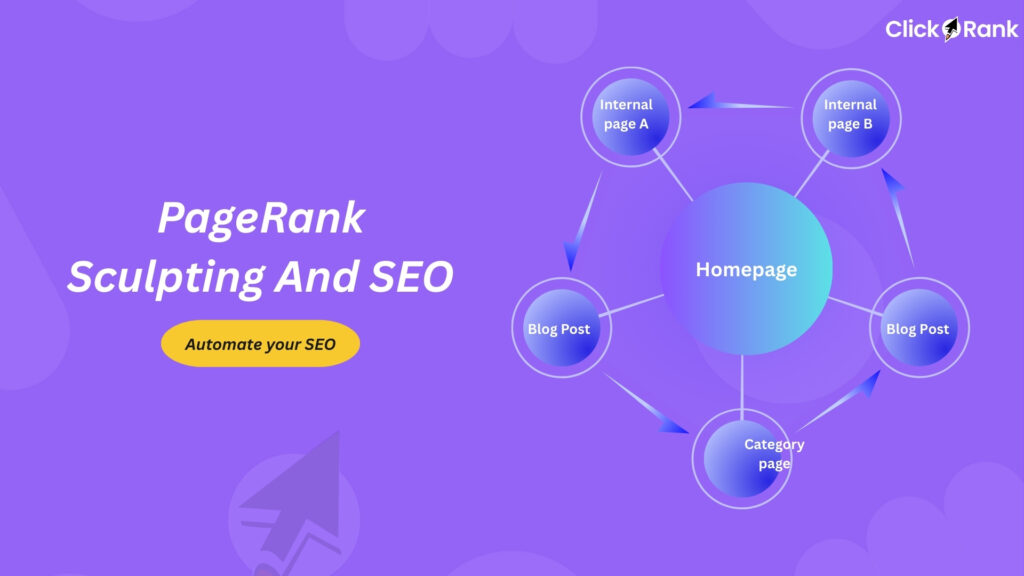
How significantly do internal links impact a website’s overall SEO performance?
Internal links are very important for a website’s overall SEO health. They help Google’s search bots discover and crawl all your pages, which is necessary for indexing. They also distribute “link equity” (authority) across your entire site, boosting the ranking potential of deeper pages. Furthermore, they significantly improve the user experience by guiding visitors to more relevant content, increasing their engagement and time spent on your site.
How does Google search engine optimization (SEO) function?
Google SEO works by indexing and ranking websites that offer the best, most relevant content for a user’s query. Google crawlers first find pages, then Google analyzes and stores them in an index. Finally, Google’s algorithms rank pages based on factors like content quality, mobile-friendliness, and site authority. Aligning your website with these expectations achieves higher visibility in search results.
Is a rank tracking tool essential for a modern SEO strategy, and what benefits does it provide over manual checks?
Yes, rank tracking tools are essential today. They automate keyword tracking, monitor visibility changes, and detect ranking drops instantly something manual checks can’t do efficiently. Tools like Clickrank, Ahrefs, and SERPWatcher provide detailed insights by device, location, and keyword group. They save time, reduce errors, and show historical trends, helping SEO professionals make data-driven decisions and report ROI more accurately.